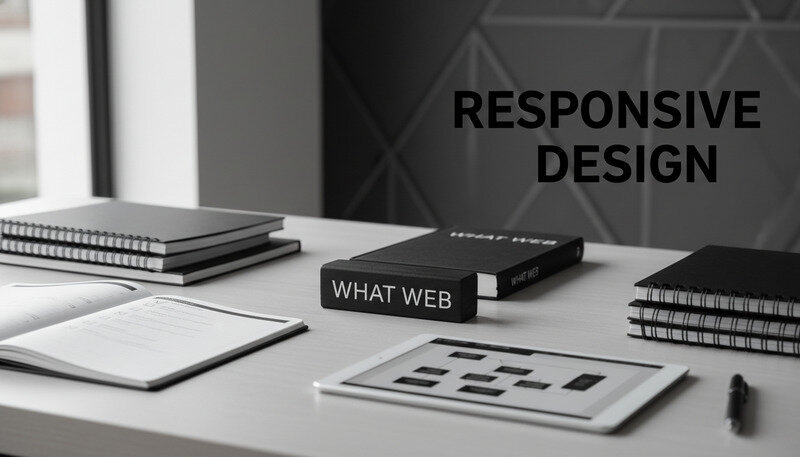
Web site design isn't just about making something look pretty on a screen. It's the strategic combination of visual aesthetics, user experience principles, and technical functionality that determines whether visitors stay on your site or click away within seconds. Think of web site designs as digital storefronts—they need to attract attention, communicate value clearly, and guide users toward specific actions. Whether you're running a web design agency, working as a freelancer, or managing a digital agency, understanding the fundamentals of effective web site designs can make the difference between projects that wow clients and ones that fall flat.
Modern web site designs encompass everything from color schemes and typography to navigation structures and interactive elements. They must work seamlessly across devices, load quickly, and provide intuitive user experiences that convert visitors into customers. The best web site designs balance creativity with functionality, ensuring that every visual element serves a purpose in guiding users through their digital journey.
![Modern responsive website
(https://en.wikipedia.org/wiki/Website) design showcasing clean layout and intuitive navigation across multiple devices]
What Is Web Site Design
Web site design is the process of planning, conceptualizing, and creating the visual and functional elements of a website. It encompasses the overall aesthetic appearance, user interface design, and the structural layout that determines how users interact with and navigate through a website. Unlike web development, which focuses on the technical coding and backend functionality, web site designs concentrate on the front-end user experience and visual presentation.
At its core, web site design combines graphic design principles with user experience (UX) and user interface (UI) design methodologies. This multidisciplinary approach ensures that websites not only look appealing but also function effectively for their intended purpose. Professional web site designs consider factors such as target audience demographics, brand identity, business objectives, and technical constraints to create cohesive digital experiences.
The Evolution of Web Site Design
Web site designs have undergone dramatic transformations since the early days of the internet. In the 1990s, websites were primarily text-based with basic HTML formatting and limited visual elements. The introduction of CSS (Cascading Style Sheets) revolutionized web site designs by separating content from presentation, allowing designers greater creative freedom and more sophisticated layouts.
The rise of responsive design marked another pivotal moment in web site design evolution. As mobile devices became ubiquitous, designers had to adapt their approaches to ensure websites functioned seamlessly across various screen sizes and devices. This shift fundamentally changed how we approach web site designs, prioritizing flexibility and adaptability over fixed layouts.
Why It Matters: Modern web site designs must accommodate users accessing content from smartphones, tablets, laptops, and desktop computers. A design that works beautifully on a desktop but fails on mobile devices will lose approximately 50% of potential users.
Core Components of Effective Web Site Designs
Successful web site designs integrate multiple components working in harmony. Visual hierarchy guides users' attention through strategic use of typography, color, and spacing. Navigation systems provide clear pathways for users to find information quickly and efficiently. Content layout ensures information is presented in digestible, scannable formats that accommodate modern browsing behaviors.
Color psychology plays a crucial role in web site designs, influencing user emotions and behaviors. Different colors evoke specific psychological responses—blue conveys trust and professionalism, while orange suggests energy and enthusiasm. Typography choices affect readability and brand perception, with serif fonts often associated with tradition and authority, while sans-serif fonts appear more modern and approachable.
Interactive elements such as buttons, forms, and multimedia content enhance user engagement when implemented thoughtfully. However, effective web site designs balance interactivity with simplicity, ensuring that enhanced features serve clear purposes rather than overwhelming users with unnecessary complexity.
The Business Impact of Quality Web Site Designs
Research consistently demonstrates the significant impact of professional web site designs on business outcomes. Studies indicate that users form first impressions of websites within 0.05 seconds, and 94% of these initial judgments relate to visual design elements. Poor web site designs can result in bounce rates exceeding 90%, while well-designed sites typically maintain bounce rates below 40%.
Conversion rates directly correlate with design quality. E-commerce sites with optimized web site designs see average conversion rates between 2-4%, while poorly designed sites often struggle to achieve 1% conversion rates. For businesses generating significant online revenue, these differences translate to substantial financial impacts.
Key Takeaway: Investing in professional web site designs isn't just about aesthetics—it's a strategic business decision that directly affects customer acquisition, retention, and revenue generation.
How Web Site Design Works
The web site design process follows a structured methodology that transforms abstract concepts into functional digital experiences. Understanding this process helps web design agencies, freelancers, and digital agencies deliver consistent, high-quality results while managing client expectations and project timelines effectively.
Professional web site design workflows typically begin with discovery and research phases, where designers gather information about business objectives, target audiences, and competitive landscapes. This foundational research informs every subsequent design decision, ensuring that visual and functional elements align with strategic goals rather than purely aesthetic preferences.
Discovery and Research Phase
The discovery phase establishes the foundation for successful web site designs. Designers conduct stakeholder interviews to understand business objectives, brand positioning, and success metrics. User research reveals target audience demographics, behaviors, preferences, and pain points that influence design decisions.
Competitive analysis examines existing solutions within the industry, identifying opportunities for differentiation and best practices to incorporate. Technical requirements assessment determines platform constraints, integration needs, and performance expectations that affect design possibilities.
Content audit and planning occur during this phase, cataloging existing content and identifying gaps that need addressing. Effective web site designs require strategic content planning to ensure that visual layouts support clear information hierarchy and user flow.
Pro Tip: Spend 25-30% of your total project timeline on discovery and research. Rushing this phase often leads to redesigns and scope creep later in the project, ultimately costing more time and money than thorough upfront planning.
Wireframing and Information Architecture
Wireframing translates research insights into structural blueprints for web site designs. These low-fidelity sketches focus on layout, content placement, and user flow without getting distracted by visual styling. Wireframes help stakeholders understand how information will be organized and how users will navigate through the site.
Information architecture defines the organizational structure of content, determining how pages relate to each other and how users will find specific information. Clear information architecture prevents user confusion and reduces bounce rates by creating logical, intuitive navigation paths.
User journey mapping identifies the various paths users might take through the website, from initial landing to goal completion. This process reveals potential friction points and optimization opportunities that inform both structural and visual design decisions.
Visual Design and Prototyping
Once structural elements are approved, designers begin creating the visual identity for web site designs. This phase involves selecting color palettes, typography systems, imagery styles, and interactive elements that align with brand guidelines and user expectations.
Design systems development ensures consistency across all pages and components. Professional web site designs utilize standardized color codes, typography scales, spacing units, and component libraries that maintain visual coherence throughout the entire site.
Prototyping brings static designs to life, demonstrating how interactive elements will function and how users will navigate between pages. Interactive prototypes help stakeholders understand the user experience before development begins, reducing the likelihood of major changes during the coding phase.
Design Testing and Iteration
User testing validates design decisions before full development begins. Usability testing sessions reveal how real users interact with prototypes, identifying areas where web site designs may cause confusion or friction. A/B testing compares different design variations to determine which approaches achieve better results.
Accessibility testing ensures that web site designs accommodate users with disabilities, following WCAG (Web Content Accessibility Guidelines) standards. This includes testing with screen readers, keyboard navigation, and color contrast analyzers to ensure inclusive design practices.
Performance considerations influence design decisions, as visual elements directly affect page load speeds. Designers must balance visual appeal with technical performance, optimizing images, animations, and interactive elements to maintain fast loading times across various devices and connection speeds.
Expert Tip: Test early and test often. Conducting usability tests with just 5 users can identify 85% of usability problems, and testing during the design phase costs significantly less than making changes after development is complete.
Key Components of Effective Web Site Designs
Successful web site designs integrate multiple interconnected components that work together to create cohesive user experiences. Understanding these fundamental elements enables designers to make informed decisions about layout, functionality, and visual presentation that support both user needs and business objectives.
Each component serves specific purposes within the overall design ecosystem, and the quality of their integration often determines the success of web site designs. Professional designers master these elements individually while understanding how they interact to create seamless user experiences.
Visual Hierarchy and Layout Structure
Visual hierarchy guides users through content by establishing clear relationships between different elements on the page. Effective web site designs use size, color, contrast, and positioning to direct attention to the most important information first, then guide users through secondary and tertiary content in logical order.
Grid systems provide structural frameworks that organize content consistently across pages. Professional web site designs utilize modular grid systems that maintain visual balance while accommodating various content types and screen sizes. These systems ensure that layouts remain coherent even as content changes over time.
White space, also called negative space, plays a crucial role in creating readable, approachable web site designs. Adequate spacing between elements reduces cognitive load and helps users process information more effectively. Studies show that proper use of white space can increase comprehension by up to 20%.
Design Principle: The rule of thirds applies to web design just as it does to photography. Placing key elements along imaginary lines that divide the page into thirds creates more dynamic, visually interesting layouts than centering everything.
Typography and Readability
Typography significantly impacts both aesthetic appeal and functional usability of web site designs. Font selection affects brand perception, with serif fonts conveying tradition and authority while sans-serif fonts appear more modern and approachable. Script fonts can add personality but should be used sparingly to maintain readability.
Typography hierarchy uses different font sizes, weights, and styles to organize information and guide reading flow. Effective web site designs typically employ 2-3 font sizes maximum, with clear distinctions between headers, subheaders, body text, and captions.
Line height, letter spacing, and paragraph spacing affect reading comfort and comprehension. Optimal line height ranges from 1.4 to 1.6 times the font size, while adequate paragraph spacing helps users distinguish between different ideas and sections.
Color Psychology and Brand Integration
Color choices in web site designs influence user emotions, behaviors, and brand perceptions. Blue conveys trust and professionalism, making it popular for financial and healthcare websites. Green suggests growth and harmony, often used by environmental and wellness brands. Red creates urgency and excitement, frequently employed for call-to-action buttons and sale notifications.
Color contrast ensures accessibility and readability across different devices and lighting conditions. WCAG guidelines recommend minimum contrast ratios of 4.5:1 for normal text and 3:1 for large text. High contrast improves usability for users with visual impairments and enhances readability for all users.
Brand color integration maintains consistency between web site designs and other marketing materials. Professional designs incorporate brand colors strategically, using primary colors for key elements and secondary colors for supporting elements, while neutral colors provide balance and breathing room.
Navigation and User Experience
Navigation systems serve as roadmaps that help users find information efficiently. Primary navigation typically includes 5-7 main categories to avoid overwhelming users with too many choices. Secondary navigation provides access to subcategories and related content without cluttering the main menu.
Breadcrumb navigation shows users their current location within the site hierarchy and provides easy paths back to previous levels. This feature particularly benefits complex sites with deep content structures, reducing user frustration and improving overall experience.
Search functionality becomes essential for content-rich sites, allowing users to find specific information quickly. Effective search features include autocomplete suggestions, filters, and clear results pages that help users refine their queries.
Responsive Design and Mobile Optimization
Responsive design ensures that web site designs adapt seamlessly to different screen sizes and devices. This approach uses flexible grid systems, scalable images, and CSS media queries to provide optimal viewing experiences across smartphones, tablets, and desktop computers.
Mobile-first design prioritizes the mobile user experience during the design process, then progressively enhances the design for larger screens. This approach ensures that essential content and functionality remain accessible on smaller screens where space is limited.
Touch-friendly interfaces accommodate mobile users by providing adequately sized touch targets, intuitive gesture controls, and thumb-friendly navigation placement. Buttons and links should be at least 44 pixels in size to ensure comfortable interaction on touchscreen devices.
Performance and Loading Speed
Page loading speed directly affects user satisfaction and search engine rankings. Web site designs must balance visual appeal with performance optimization, ensuring that images, animations, and interactive elements don't significantly impact loading times.
Image optimization reduces file sizes without sacrificing visual quality through compression, appropriate file formats, and responsive image delivery. Modern web site designs use techniques like lazy loading to defer image loading until users scroll to relevant sections.
Minimalist design approaches can improve performance by reducing the number of elements that need to load. Clean, focused designs often achieve better user engagement than visually complex layouts that may overwhelm users and slow down page performance.
Performance Benchmark: Users expect web pages to load within 2-3 seconds. Sites that take longer than 3 seconds to load experience bounce rates that increase by 32% for every additional second of loading time.
Comparison of Essential Design Elements
| Element | Primary Function | Impact on UX | Technical Considerations |
|---|---|---|---|
| Visual Hierarchy | Guide user attention | Improves content comprehension | Requires CSS expertise |
| Typography | Enhance readability | Affects brand perception | Font loading optimization |
| Color Scheme | Convey brand identity | Influences user emotions | Accessibility compliance |
| Navigation | Enable content discovery | Reduces user frustration | Mobile responsiveness |
| Images | Support content messaging | Increases engagement | File size optimization |
| White Space | Improve visual clarity | Reduces cognitive load | Layout planning |
Benefits and Use Cases of Professional Web Site Designs
Professional web site designs deliver measurable benefits that extend far beyond aesthetic appeal. For web design agencies, freelancers, and digital agencies, understanding these advantages helps communicate value to clients and justify investment in quality design services. The impact of professional web site designs manifests across multiple business metrics, from user engagement to conversion rates and long-term brand building.
The return on investment for professional web site designs typically becomes apparent within months of launch, as improved user experiences translate to better business outcomes. Companies that invest in professional design services often see significant improvements in key performance indicators compared to those using template-based or amateur design approaches.
Enhanced User Experience and Engagement
Professional web site designs create intuitive user experiences that keep visitors engaged and encourage exploration. Well-designed sites typically achieve bounce rates 25-40% lower than poorly designed alternatives, indicating that users find the content valuable and the interface easy to navigate.
User engagement metrics improve significantly with professional design implementation. Time on site increases as users can easily find relevant information and navigate between pages without confusion. Page views per session typically increase by 30-50% when sites implement clear navigation structures and compelling visual hierarchies.
Accessibility improvements ensure that web site designs accommodate users with various abilities and technical limitations. Professional designs follow WCAG guidelines, making sites usable for people with visual, auditory, motor, and cognitive disabilities. This inclusive approach expands the potential audience and demonstrates social responsibility.
Key Statistic: Websites with professional design see average session durations 2.5 times longer than sites with poor design, directly correlating with increased opportunities for conversion and relationship building.
Improved Search Engine Performance
Search engines favor web site designs that provide positive user experiences, leading to better organic search rankings. Google's algorithm considers factors such as page loading speed, mobile responsiveness, and user engagement metrics when determining search result positions.
Technical SEO benefits from professional web site designs that implement clean code structures, optimized images, and proper heading hierarchies. These technical elements help search engines understand and index content more effectively, improving visibility for relevant search queries.
Mobile-first design approaches align with search engine preferences, as Google uses mobile-first indexing to evaluate and rank websites. Professional web site designs that prioritize mobile experiences often achieve better search rankings than desktop-focused alternatives.
Increased Conversion Rates and Revenue
Professional web site designs typically achieve conversion rates 2-5 times higher than amateur designs through strategic placement of call-to-action elements, simplified user flows, and trust-building design elements. Clear value propositions and intuitive navigation reduce friction in the conversion process.
E-commerce sites particularly benefit from professional design investment, with studies showing that design improvements can increase sales by 200-400%. Professional designs optimize product presentation, streamline checkout processes, and build customer confidence through polished visual presentation.
Lead generation improvements occur when web site designs effectively guide visitors toward contact forms, newsletter signups, or other conversion points. Professional designs use visual hierarchy and persuasive design elements to increase form completion rates and reduce abandonment.
Brand Credibility and Trust Building
Professional web site designs significantly impact brand perception and customer trust. Research indicates that 75% of users judge company credibility based on website design quality, making professional presentation essential for business success.
Trust indicators integrated into professional designs include security badges, customer testimonials, professional photography, and consistent branding elements. These features reassure visitors and reduce hesitation about engaging with the business.
Competitive advantage emerges when businesses invest in superior web site designs compared to their competitors. Professional designs differentiate brands in crowded markets and position companies as industry leaders through sophisticated visual presentation.
Specific Use Cases Across Industries
E-commerce and Retail: Professional web site designs for online stores focus on product presentation, user-friendly shopping experiences, and secure checkout processes. Features include high-quality product images, detailed descriptions, customer reviews, and streamlined purchasing flows.
Professional services: Law firms, consulting companies, and other service providers benefit from web site designs that establish authority and expertise. These designs emphasize credentials, case studies, client testimonials, and clear contact information to build trust and encourage inquiries.
Healthcare and Medical: Medical web site designs prioritize accessibility, patient privacy, and easy access to important information. Professional designs include appointment scheduling systems, patient portals, and educational content presented in easily digestible formats.
Technology and SaaS: Software companies require web site designs that effectively communicate complex technical concepts to various audiences. Professional designs use clear value propositions, feature comparisons, and interactive demonstrations to educate prospects and drive conversions.
Non-profit Organizations: Charitable organizations benefit from web site designs that effectively communicate their mission, showcase impact, and facilitate donations. Professional designs balance emotional appeal with practical functionality to support fundraising and volunteer recruitment efforts.
Industry Impact: B2B companies with professionally designed websites generate 67% more leads than those with poor design, while B2C companies see average revenue increases of 32% following professional design implementation.

Long-term Business Benefits
Scalability advantages emerge from professional web site designs built with growth in mind. Professional designs accommodate content additions, feature expansions, and traffic increases without requiring complete redesigns.
Maintenance efficiency improves with professional designs that follow best practices for code organization, content management, and update procedures. Well-designed sites require less ongoing maintenance and experience fewer technical issues over time.
Analytics and optimization opportunities increase with professional designs that implement proper tracking codes and conversion measurement tools. These insights enable data-driven improvements and ongoing optimization efforts.
Customer lifetime value typically increases for businesses with professional web site designs, as positive user experiences encourage repeat visits, referrals, and long-term relationships. Professional designs support customer retention through consistent, high-quality interactions.
Common Mistakes and Misconceptions About Web Site Designs
Understanding common pitfalls in web site designs helps professionals avoid costly mistakes and deliver superior results for their clients. Many misconceptions persist about what constitutes effective web design, often leading to decisions that prioritize aesthetics over functionality or follow outdated practices that harm user experience and business performance.
These mistakes frequently stem from misunderstanding user behavior, overestimating the importance of visual trends, or failing to consider technical constraints that affect real-world performance. By recognizing these common errors, web design agencies, freelancers, and digital agencies can position themselves as knowledgeable professionals who deliver results-driven solutions.
Misconception: More Features Equal Better Design
Many clients and inexperienced designers believe that adding more features, animations, and interactive elements automatically improves web site designs. This misconception leads to cluttered interfaces that overwhelm users and slow down page loading times. Effective web site designs prioritize simplicity and focus on essential functionality that serves clear user needs.
Feature bloat occurs when designers try to incorporate every possible function without considering whether users actually need or want these capabilities. Professional web site designs follow the principle of progressive disclosure, revealing advanced features only when users specifically seek them.
Performance degradation results from excessive features, as each additional element requires processing power and bandwidth. Sites with too many features often achieve poor Core Web Vitals scores, negatively impacting search engine rankings and user satisfaction.
Design Reality: The most successful websites typically use 70% fewer features than their competitors, focusing on executing essential functions exceptionally well rather than offering mediocre experiences across numerous features.
Mistake: Ignoring Mobile-First Design Principles
Despite mobile traffic accounting for over 60% of web usage, many web site designs still prioritize desktop experiences and treat mobile as an afterthought. This approach results in poor mobile performance, difficult navigation, and high bounce rates from mobile users.
Responsive design implementation often fails when designers simply shrink desktop layouts rather than reimagining the user experience for smaller screens. Effective mobile-first design requires rethinking content hierarchy, navigation patterns, and interaction methods specifically for touch interfaces.
Touch target sizing frequently gets overlooked in web site designs, leading to frustrating user experiences where buttons and links are too small for comfortable interaction. Apple and Google recommend minimum touch target sizes of 44 pixels to ensure usability across different finger sizes and motor abilities.
Misconception: Design Trends Should Drive Decisions
Following design trends without considering their appropriateness for specific audiences and business objectives often results in web site designs that look contemporary but fail to achieve business goals. Trends change rapidly, potentially making sites look outdated within months of launch.
Trend-chasing can compromise usability when designers prioritize visual novelty over proven user experience principles. For example, the trend toward removing visual affordances (like button borders) can confuse users and reduce conversion rates despite creating cleaner aesthetics.
Brand alignment suffers when web site designs follow trends that don't match the company's personality, values, or target audience expectations. Professional designs balance contemporary appeal with brand consistency and user familiarity.
Mistake: Overlooking Page Loading Performance
Visual complexity often comes at the cost of loading speed, yet many web site designs prioritize appearance over performance. Users abandon sites that take longer than 3 seconds to load, making performance optimization crucial for business success.
Image optimization gets neglected in many web site designs, with designers uploading high-resolution photos without compression or appropriate file format selection. Unoptimized images can account for 60-80% of page weight, significantly slowing loading times.
Third-party integrations accumulate over time, adding JavaScript libraries, tracking codes, and embedded content that gradually degrade performance. Professional web site designs audit and optimize these integrations regularly to maintain fast loading speeds.
Performance Impact: A 1-second delay in page loading time reduces conversions by 7%, page views by 11%, and customer satisfaction by 16%. Professional web site designs prioritize performance as a core design requirement.
Misconception: Users Will Figure Out Complex Navigation
Designers sometimes create elaborate navigation systems that require explanation or discovery, assuming users will invest time learning how to use them. In reality, users expect intuitive navigation that works immediately without instruction or exploration.
Hidden navigation elements, such as hamburger menus on desktop sites or gesture-based controls, often reduce usability despite appearing clean and modern. Users prefer visible, clearly labeled navigation options that communicate available actions clearly.
Information architecture complexity increases when designers try to accommodate every possible user path without prioritizing the most common user journeys. Effective web site designs focus on the 80% of users who follow predictable patterns rather than trying to serve every edge case equally.
Mistake: Neglecting Accessibility Requirements
Accessibility considerations get overlooked in many web site designs, limiting access for users with disabilities and potentially creating legal compliance issues. Professional designs incorporate accessibility from the beginning rather than treating it as an afterthought.
Color contrast ratios frequently fail to meet WCAG guidelines, making text difficult to read for users with visual impairments or in bright lighting conditions. Proper contrast testing should be standard practice in all web site designs.
Keyboard navigation support gets ignored when designers focus exclusively on mouse and touch interactions. Many users rely on keyboard navigation due to motor disabilities or personal preferences, requiring designs that support tab-based navigation through all interactive elements.
Misconception: Conversion Optimization Isn't a Design Responsibility
Some designers believe their role ends with creating visually appealing layouts, leaving conversion optimization to marketing teams. However, design decisions directly impact conversion rates through element placement, visual hierarchy, and user flow design.
Call-to-action button design significantly affects conversion rates through color choice, size, positioning, and text content. A/B testing shows that design changes to CTA buttons can improve conversion rates by 20-50% or more.
Form design optimization often gets overlooked despite forms being critical conversion points for most businesses. Professional web site designs optimize form layouts, field labeling, error messaging, and completion flows to maximize form submissions.

Trust and Credibility Oversights
Professional presentation details matter significantly for building user trust, yet many web site designs overlook elements that signal credibility and reliability. Poor typography, inconsistent spacing, and low-quality images immediately communicate unprofessionalism to users.
Contact information visibility affects trust levels, with users preferring sites that clearly display physical addresses, phone numbers, and multiple contact methods. Hidden or difficult-to-find contact information raises suspicion about business legitimacy.
Security indicators become increasingly important as users grow more concerned about data privacy and online security. Professional web site designs prominently display security badges, privacy policies, and trust signals that reassure users about data protection.
Trust Factor: Users form first impressions of websites within 50 milliseconds, and 94% of these initial judgments relate to design elements rather than content. Professional web site designs must immediately communicate trustworthiness through visual presentation.
Best Practices for Successful Web Site Designs
Implementing proven best practices ensures that web site designs achieve both aesthetic appeal and functional effectiveness. These guidelines represent industry standards developed through extensive user research, testing, and real-world application across thousands of successful projects. For web design agencies, freelancers, and digital agencies, following these practices consistently delivers superior client results and reduces project risks.
Professional web site designs that adhere to established best practices typically achieve better user engagement, higher conversion rates, and improved search engine performance compared to designs that ignore these principles. These practices evolve with technology and user behavior changes, requiring ongoing education and adaptation.
User-Centered Design Principles
User research should inform every design decision, from initial layout concepts to final interactive details. Effective web site designs begin with comprehensive understanding of target audience demographics, behaviors, preferences, and pain points. This research prevents assumptions and ensures that design choices serve real user needs.
Persona development creates detailed profiles of ideal users, helping designers make decisions that resonate with specific audience segments. Professional web site designs reference these personas throughout the design process to maintain focus on user priorities rather than designer preferences.
User journey mapping identifies the various paths users take through websites, revealing opportunities to optimize experiences and remove friction points. This process helps designers understand how different pages and features work together to support user goals.
User-Centered Approach: Successful web site designs solve user problems first and business problems second. When user needs are met effectively, business objectives typically follow naturally through improved engagement and conversions.
Content Strategy Integration
Content planning should occur alongside design development, ensuring that visual layouts support clear information hierarchy and messaging strategies. Professional web site designs accommodate content requirements while maintaining visual appeal and usability.
Content hierarchy establishes the relative importance of different information types, guiding both visual design decisions and user attention. Effective designs use typography, spacing, and visual elements to communicate content relationships clearly.
Scannable content formatting acknowledges that most users scan rather than read web content thoroughly. Professional web site designs use bullet points, short paragraphs, descriptive headings, and visual breaks to support scanning behavior.
Technical Performance Optimization
Loading speed optimization requires balancing visual appeal with technical performance. Professional web site designs implement image compression, efficient coding practices, and content delivery optimization to achieve fast loading times across various devices and connection speeds.
Browser compatibility testing ensures that web site designs function correctly across different web browsers and versions. Professional designs test on major browsers including Chrome, Firefox, Safari, and Edge to identify and resolve compatibility issues.
Code quality standards maintain clean, organized code that supports future maintenance and updates. Professional web site designs follow established coding conventions and best practices that facilitate collaboration and long-term sustainability.
Responsive Design Implementation
Mobile-first design approaches prioritize the mobile user experience during initial design development, then progressively enhance the design for larger screens. This methodology ensures that essential content and functionality remain accessible on smaller devices.
Flexible grid systems accommodate various screen sizes through proportional layouts that adapt to different viewport dimensions. Professional web site designs use CSS Grid and Flexbox technologies to create truly responsive layouts.
Touch interface optimization considers the unique interaction patterns of touchscreen devices, providing adequately sized touch targets and intuitive gesture support. Professional designs test touch interactions across various device sizes and orientations.
Conversion Optimization Strategies
Call-to-action design significantly impacts conversion rates through strategic placement, visual prominence, and compelling messaging. Professional web site designs test different CTA approaches to identify the most effective combinations for specific audiences.
Form optimization reduces friction in the conversion process through streamlined layouts, clear labeling, and helpful error messaging. Effective forms minimize required fields while collecting necessary information efficiently.
Trust signal integration builds user confidence through security badges, testimonials, guarantees, and professional presentation elements. These signals particularly benefit e-commerce and service-based businesses where trust directly impacts conversion rates.
Accessibility and Inclusive Design
Universal design principles ensure that web site designs accommodate users with various abilities and technical limitations. Professional designs implement accessibility features from the beginning rather than retrofitting them later.
Keyboard navigation support enables users who cannot use pointing devices to access all interactive elements through keyboard commands. Professional web site designs test keyboard navigation thoroughly to ensure complete functionality.
Screen reader compatibility requires proper HTML structure, alternative text for images, and descriptive link text that works with assistive technologies. These features benefit users with visual impairments while also improving SEO performance.
Testing and Quality Assurance
Usability testing validates design decisions with real users before full implementation. Professional web site designs incorporate user feedback to identify and resolve usability issues early in the development process.
Cross-device testing ensures consistent experiences across smartphones, tablets, and desktop computers. Professional designs test on multiple devices and screen sizes to identify responsive design issues.
Performance monitoring tracks loading speeds, user interactions, and technical performance metrics after launch. This ongoing assessment enables continuous optimization and improvement of web site designs.
Quality Assurance: Professional web site designs undergo systematic testing across multiple dimensions: functionality, usability, performance, accessibility, and compatibility. This comprehensive approach prevents costly issues and ensures superior user experiences.
SEO-Friendly Design Practices
Technical SEO integration incorporates search engine optimization considerations into the design structure through proper heading hierarchies, clean URLs, and optimized meta elements. Professional web site designs support content discoverability and search engine indexing.
Site structure organization creates logical page hierarchies and internal linking patterns that help search engines understand content relationships. Clear navigation and URL structures benefit both users and search engine crawlers.
Content optimization balances keyword integration with natural, readable text that serves user needs. Professional designs support content strategies that achieve search engine visibility without compromising user experience.
Maintenance and Future-Proofing
Scalable architecture enables web site designs to accommodate growth in content, traffic, and functionality without requiring complete redesigns. Professional designs plan for future expansion and modification needs.
Update procedures establish clear processes for content updates, security patches, and feature additions. Well-designed sites include content management systems that enable non-technical users to maintain current information.
Documentation standards ensure that design decisions, technical specifications, and maintenance procedures are clearly recorded for future reference. This documentation facilitates handoffs and ongoing support requirements.
Performance Metrics and Analytics
Conversion tracking implementation enables measurement of design effectiveness through specific user actions such as form submissions, purchases, or downloads. Professional web site designs include proper analytics configuration from launch.
User behavior analysis reveals how visitors interact with different design elements, identifying successful features and areas needing improvement. Heat mapping and session recording tools provide insights into user preferences and pain points.
Continuous optimization uses performance data to guide ongoing design improvements and feature additions. Professional web site designs evolve based on real user behavior rather than assumptions or preferences.
Common Questions About Web Site Designs
What's the difference between web design and web development?
Web design focuses on the visual and user experience aspects of websites, including layout, color schemes, typography, and user interface elements. Web designers create the look and feel of websites, determining how users will interact with content and navigate through pages. This discipline combines graphic design principles with user experience methodologies to create appealing, functional interfaces.
Web development, on the other hand, involves the technical implementation of designs through coding and programming. Developers write the HTML, CSS, JavaScript, and backend code that makes websites function. They handle database integration, server configuration, and technical optimization that enables websites to work properly across different browsers and devices.
While these roles often overlap, especially in smaller agencies or freelance situations, they require different skill sets and focus areas. Many successful web professionals understand both disciplines, allowing them to create designs that are both visually appealing and technically feasible. The collaboration between designers and developers typically produces the most effective web site designs.
Professional Insight: The best web site designs emerge from close collaboration between designers and developers throughout the entire project lifecycle, rather than treating design and development as separate, sequential phases.
How long does it take to create professional web site designs?
The timeline for professional web site designs varies significantly based on project scope, complexity, and client requirements. Simple brochure websites with 5-10 pages typically require 4-6 weeks from initial consultation to launch, including discovery, design, development, and testing phases.
Medium complexity sites with custom functionality, content management systems, and 15-25 pages generally take 8-12 weeks to complete. These projects involve more extensive planning, custom development work, and thorough testing across multiple devices and browsers.
Large-scale websites with e-commerce functionality, custom integrations, and complex user interactions can require 16-24 weeks or longer. Enterprise-level projects often involve multiple stakeholders, extensive content migration, and sophisticated technical requirements that extend development timelines.
The discovery and planning phase typically accounts for 20-25% of the total timeline, while design development takes 30-35%, technical development requires 35-40%, and testing and refinement consume the remaining 10-15%. Rushing any phase often leads to problems that extend overall project duration.
What should I look for when hiring web design professionals?
Portfolio quality serves as the primary indicator of design capability and style alignment. Examine previous work for visual appeal, functionality, and diversity across different industries and project types. Look for web site designs that demonstrate understanding of user experience principles, not just aesthetic appeal.
Technical expertise becomes crucial for projects requiring custom functionality, e-commerce capabilities, or complex integrations. Evaluate whether candidates understand responsive design, performance optimization, and current web standards. Ask specific questions about their development process and technical approach.
Communication skills significantly impact project success, as web design involves extensive collaboration and feedback cycles. Assess how well candidates explain their design decisions, respond to questions, and manage client expectations throughout the process.
Client testimonials and case studies provide insights into working relationships and project outcomes. Look for feedback that addresses communication, timeline adherence, problem-solving abilities, and post-launch support quality.
How much should professional web site designs cost?
Pricing for professional web site designs varies widely based on complexity, functionality, and service provider experience. Basic business websites typically range from $3,000 to $10,000, including design, development, and basic content management functionality.
Medium complexity sites with custom features, e-commerce capabilities, or specialized integrations generally cost $10,000 to $30,000. These projects require more development time and often include ongoing support and maintenance agreements.
Enterprise-level web site designs can cost $30,000 to $100,000 or more, depending on scale, custom development requirements, and integration complexity. Large organizations often require extensive planning, security considerations, and sophisticated functionality.
Ongoing maintenance and support typically cost 15-25% of the initial development investment annually. This includes security updates, content management, performance monitoring, and feature additions or modifications.
Investment Perspective: Professional web site designs should be viewed as business investments rather than expenses. Quality designs typically generate returns through improved conversion rates, better search engine rankings, and enhanced brand credibility.
How often should web site designs be updated or redesigned?
Visual refreshes may be needed every 2-3 years to maintain contemporary appeal and align with evolving brand identity. However, major redesigns typically occur every 4-6 years when technology changes, user behavior shifts, or business objectives evolve significantly.
Technology updates drive more frequent changes, as web standards, mobile devices, and browser capabilities continue evolving. Professional web site designs should be evaluated annually for technical performance, security requirements, and compatibility with new devices.
Content updates should occur much more frequently, with fresh content being added regularly to maintain search engine relevance and user engagement. Professional designs include content management systems that enable easy updates without requiring technical expertise.
Performance monitoring helps determine when updates become necessary. Declining conversion rates, increased bounce rates, or poor mobile performance may indicate that design updates are needed before the typical refresh cycle.
What makes a website mobile-friendly?
Responsive design ensures that web site designs adapt automatically to different screen sizes and orientations. This approach uses flexible grid systems, scalable images, and CSS media queries to provide optimal viewing experiences across all devices.
Touch-friendly interfaces accommodate mobile interaction patterns through appropriately sized buttons, intuitive navigation, and gesture support. Professional mobile designs consider thumb reach patterns and provide comfortable touch targets for all interactive elements.
Loading speed becomes even more critical on mobile devices, where users often have slower internet connections and less patience for delayed content. Mobile-friendly designs optimize images, minimize code, and prioritize essential content to achieve fast loading times.
Simplified navigation works better on smaller screens, often requiring condensed menus, clear hierarchies, and easy-to-find search functionality. Professional web site designs prioritize the most important navigation options for mobile users.
Content adaptation may involve restructuring information presentation for smaller screens, using shorter paragraphs, more descriptive headings, and scannable formatting that works well on mobile devices.
Key Takeaways
Professional web site designs combine aesthetic appeal with functional effectiveness to create digital experiences that serve both user needs and business objectives. The most successful designs prioritize user experience, implement responsive design principles, and optimize for performance across all devices. Understanding the strategic value of quality design helps businesses make informed investments that generate measurable returns through improved engagement, conversions, and brand credibility. Get started with professional web site designs at Dope Theme to transform your digital presence and achieve better business results. Ready to get started? Visit Dope Theme to learn more.