

Creating an effective website doesn't require a computer science degree or years of design training. Website design is the process of planning and creating the visual elements, layout, and user experience of a website to achieve specific business or personal goals. Whether you're building your first site or redesigning an existing one, understanding the fundamentals will help you create something that both looks professional and actually works for your visitors.
This guide walks you through everything you need to know about website design — from understanding what it actually involves to choosing the right tools and creating a site that converts visitors into customers. You'll learn the key elements that separate amateur sites from professional ones, discover current design trends that actually improve user experience, and get practical steps for bringing your vision to life.
What Is Website Design?
Website design is the process of planning, conceptualizing, and creating the visual and functional elements of a website. It combines graphic design principles with user experience considerations to create digital spaces that are both visually appealing and easy to navigate.
Think of website design as the architectural blueprint for your online presence. Just as an architect considers both aesthetics and functionality when designing a building, web designers must balance visual appeal with usability, ensuring visitors can easily find what they're looking for while enjoying the experience.
Website design encompasses several key components:
- Visual Design: Colors, typography, images, and overall aesthetic appeal
- Layout Structure: How content is organized and presented on each page
- User Interface (UI): Interactive elements like buttons, forms, and navigation menus
- User Experience (UX): The overall feel and ease of use when visitors interact with your site
- Responsive Design: Ensuring your site works well on all devices and screen sizes
Key Insight: Great website design is invisible to users — they accomplish their goals without thinking about the design itself.
Modern website design goes beyond making things look pretty. It's about creating an intuitive digital experience that guides visitors toward specific actions, whether that's making a purchase, signing up for a newsletter, or contacting your business.
Website Design vs Web Development
Many people use "website design" and "web development" interchangeably, but they're actually different disciplines that work together to create functional websites.
Comparison of Website Design vs Web Development
| Aspect | Website Design | Web Development |
|---|---|---|
| Primary Focus | Visual appearance and user experience | Technical functionality and programming |
| Key Skills | Graphic design, color theory, typography, UX principles | Programming languages, databases, server management |
| Tools Used | Figma, Adobe Creative Suite, Sketch, Canva | HTML, CSS, JavaScript, PHP, Python, databases |
| Deliverables | Mockups, wireframes, visual designs, style guides | Working websites, web applications, backend systems |
| Timeline | Usually happens first in the website creation process | Follows design phase to build the actual site |
Website design is the creative and strategic planning phase. Designers create visual mockups, choose color schemes, select fonts, and map out user journeys. They focus on how the site will look and how users will interact with it.
Web development is the technical implementation phase. Developers take the designer's vision and turn it into a functioning website using code. They handle the behind-the-scenes programming that makes everything work.
In practice, many website projects involve both disciplines. Small business owners often work with agencies that handle both design and development, while larger projects might have separate teams for each function.
For DIY website builders, platforms like WordPress, Wix, and Squarespace blur these lines by providing pre-built templates (handling much of the development) while allowing users to customize the design elements.
Key Elements of Good Website Design
Successful websites share common design elements that create positive user experiences. Understanding these fundamentals helps you make better decisions whether you're designing from scratch or customizing a template.

Visual Hierarchy
Visual hierarchy guides visitors' eyes to the most important information first. This is achieved through:
- Size and Scale: Larger elements naturally draw attention
- Color and Contrast: Bright or contrasting colors stand out against neutral backgrounds
- Positioning: Items at the top and left of the page get noticed first
- White Space: Empty space around important elements makes them more prominent
Typography and Readability
Your font choices dramatically impact how visitors perceive your brand and whether they actually read your content:
- Font Selection: Choose 2-3 fonts maximum — one for headings, one for body text, and optionally one for accents
- Font Size: Body text should be at least 16px for comfortable reading on all devices
- Line Spacing: Adequate space between lines improves readability
- Contrast: Ensure sufficient contrast between text and background colors
Color Psychology
Colors evoke emotional responses and influence user behavior:
- Primary Colors: Choose 2-3 main colors that represent your brand
- Complementary Colors: Use color wheel principles to create pleasing combinations
- Call-to-Action Colors: Make important buttons stand out with contrasting colors
- Cultural Considerations: Remember that colors have different meanings in different cultures
Navigation and User Experience
Clear navigation is essential for keeping visitors on your site:
- Menu Structure: Organize content logically with clear category names
- Search Functionality: Include search bars for content-heavy sites
- Breadcrumbs: Help users understand where they are within your site structure
- Mobile Navigation: Ensure menus work well on touchscreen devices
Loading Speed and Performance
Site speed directly impacts user satisfaction and search engine rankings:
- Image Optimization: Compress images without sacrificing quality
- Minimal Plugins: Only use necessary plugins and extensions
- Clean Code: Well-written code loads faster than bloated templates
- Content Delivery Networks: Use CDNs to serve content from servers closer to your visitors
Website Design Trends and Best Practices
Website design evolves constantly, but some trends have staying power because they genuinely improve user experience. Here are current approaches that work well for most businesses.
Mobile-First Design
With over 60% of web traffic coming from mobile devices, designing for smartphones first has become standard practice. This approach ensures your site works well on small screens, then enhances the experience for larger devices.
Key mobile-first principles include:
- Touch-Friendly Elements: Buttons and links should be at least 44px tall for easy tapping
- Simplified Navigation: Use hamburger menus or bottom navigation bars
- Readable Text: Ensure content is legible without zooming
- Fast Loading: Mobile users are especially impatient with slow sites
Minimalist Design
The "less is more" philosophy continues to dominate web design because it reduces cognitive load and helps visitors focus on what matters most.
Minimalist design features:
- Plenty of White Space: Empty space makes content more digestible
- Limited Color Palettes: Stick to 3-5 colors maximum
- Clean Typography: Simple, readable fonts without excessive decoration
- Focused Content: Every element should serve a specific purpose
Accessibility and Inclusive Design
Creating websites that work for people with disabilities isn't just good practice — it's often legally required and always expands your potential audience.
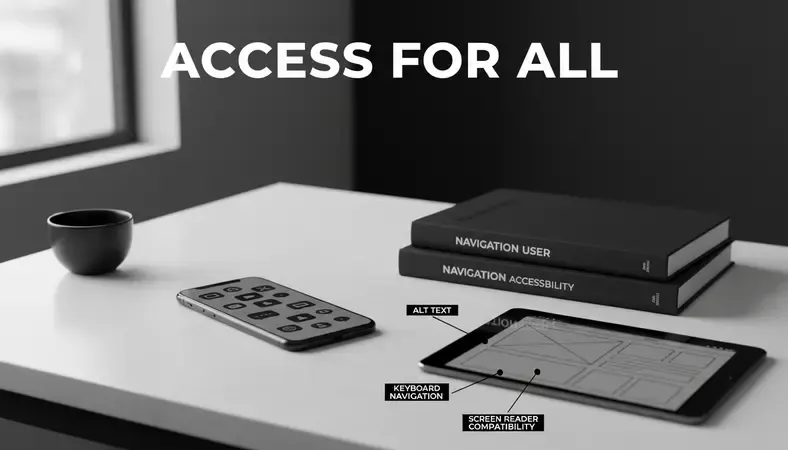
Essential accessibility features include:
- Alt Text for Images: Describe images for screen reader users
- Keyboard Navigation: Ensure all interactive elements work without a mouse
- Color Contrast: Meet WCAG guidelines for text readability
- Clear Headings: Use proper heading structure (H1, H2, H3) for navigation
- Form Labels: Clearly label all input fields
Performance Optimization
Fast-loading websites rank better in search results and keep visitors engaged longer.
Performance best practices:
- Optimize Images: Use modern formats like WebP and compress file sizes
- Minimize HTTP Requests: Reduce the number of separate files your site needs to load
- Enable Caching: Store frequently accessed files locally on visitors' devices
- Choose Quality Hosting: Invest in reliable hosting that can handle your traffic
How to Choose a Website Design Style
Your website's visual style should align with your brand identity and appeal to your target audience. Here's how to make smart style decisions that support your business goals.
Understanding Your Audience
Before choosing colors, fonts, or layouts, consider who will be visiting your site:
- Demographics: Age, gender, income level, and education affect design preferences
- Industry Expectations: Professional services need different approaches than creative businesses
- Technical Comfort: Consider your audience's comfort level with technology
- Device Usage: Know whether your visitors primarily use mobile or desktop devices
Brand Alignment
Your website should reinforce your existing brand identity:
- Logo Integration: Ensure your logo works well with your chosen design style
- Color Consistency: Use colors that match your business cards, signage, and other materials
- Tone of Voice: Visual design should match whether your brand is formal, casual, playful, or serious
- Industry Standards: Consider what competitors do well while finding ways to differentiate
Style Categories to Consider
Modern and Minimalist: Clean lines, lots of white space, simple navigation. Works well for tech companies, professional services, and luxury brands.
Bold and Colorful: Vibrant colors, dynamic layouts, eye-catching graphics. Effective for creative agencies, entertainment, and youth-focused brands.
Classic and Traditional: Established typography, conservative colors, formal layouts. Appropriate for law firms, financial services, and established institutions.
Rustic and Organic: Natural textures, earth tones, handcrafted elements. Great for restaurants, outdoor businesses, and artisanal products.
Pro Tip: Create a mood board with 10-15 images that represent your ideal aesthetic before making specific design decisions.
Website Design Tools and Platforms
The tools you choose depend on your technical skills, budget, and specific needs. Here's a breakdown of popular options across different skill levels.
Comparison of Website Design Platforms
| Platform Type | Best For | Learning Curve | Customization Level | Monthly Cost Range |
|---|---|---|---|---|
| Drag-and-Drop Builders | Beginners, small businesses | Low | Medium | Contact for pricing |
| Content Management Systems | Businesses needing flexibility | Medium | High | Contact for pricing |
| Custom Development | Unique requirements | High | Unlimited | Contact for pricing |
| E-commerce Platforms | Online stores | Medium | Medium-High | Contact for pricing |
Beginner-Friendly Options
Wix: Offers complete design freedom with an intuitive drag-and-drop interface. Includes hosting, templates, and built-in SEO tools.
Squarespace: Known for beautiful, professional templates. Great for portfolios, restaurants, and creative businesses.
Weebly: Simple interface with good e-commerce integration. Owned by Square, making it easy to integrate with their payment processing.
Intermediate Solutions
WordPress.com: Hosted version of WordPress with thousands of themes and plugins. More flexible than drag-and-drop builders but still user-friendly.
Shopify: Specifically designed for e-commerce with powerful inventory management and payment processing features.
Webflow: Visual development platform that generates clean code. Bridges the gap between design tools and custom development.
Advanced Platforms
WordPress.org: Self-hosted WordPress offers unlimited customization through themes, plugins, and custom code. Requires more technical knowledge but provides complete control.
Custom development: Building from scratch using HTML, CSS, JavaScript, and backend technologies. Offers unlimited possibilities but requires significant technical expertise or hiring developers.
For most small businesses and individuals, starting with a beginner-friendly platform makes sense. You can always migrate to more advanced solutions as your needs grow.
How Much Does Website Design Cost?
Website design costs vary dramatically based on complexity, customization level, and whether you do it yourself or hire professionals. Understanding these factors helps you budget appropriately and choose the right approach.
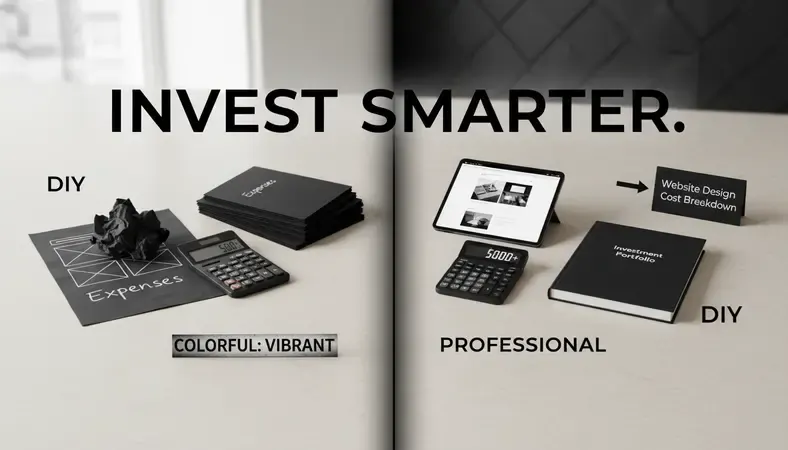
DIY Website Design Costs
Building your own website is the most budget-friendly option:
- Platform Subscription: Contact for personalized pricing based on your requirements
- Domain Name: Contact for personalized quote
- Premium Templates: Contact for pricing information
- Stock Photos: Contact for pricing details
- Additional Apps/Plugins: Pricing varies based on your requirements
Total DIY Cost Range: Contact for a personalized quote based on your specific needs and requirements.
Freelance Designer Costs
Hiring individual designers offers a middle-ground option:
- Template Customization: Contact for personalized pricing
- Custom Design: Pricing varies based on your requirements
- Logo Design: Contact for pricing information
- Content Creation: Pricing varies based on your needs
Total freelance cost range: Contact for a personalized quote tailored to your project requirements.
Agency and Professional Costs
Full-service agencies provide comprehensive solutions:
- Strategy and Planning: Contact for personalized pricing
- Custom Design and Development: Pricing varies based on complexity
- Content Strategy: Contact for pricing information
- SEO Optimization: Pricing varies based on your requirements
- Ongoing Maintenance: Contact for pricing details
Total agency cost range: Contact for a personalized quote based on your specific business needs.
Factors That Affect Pricing
Several elements influence the final cost of your website design project:
Complexity: Simple brochure sites require less time than complex e-commerce platforms with custom features.
Content creation: Writing copy, taking photos, and creating graphics adds to the overall investment.
Integrations: Connecting with CRM systems, payment processors, or marketing tools increases development time.
Timeline: Rush projects typically require premium pricing due to resource allocation needs.
Ongoing support: Consider whether you need training, maintenance, or future updates included in your investment.
Common Questions About Website Design
How Long Does It Take to Design a Website?
Timeline depends on complexity and your chosen approach. DIY websites using templates can be launched in a few days to weeks, while custom designs typically take 4-12 weeks. The process includes planning, design creation, content development, testing, and launch phases.
Factors affecting timeline include content preparation, revision rounds, integrations with third-party systems, and your responsiveness during the feedback process.
Do I Need to Know How to Code?
Modern website builders make coding knowledge optional for basic websites. Platforms like Dope Theme, Wix, and Squarespace provide visual editors that generate code automatically.
However, basic HTML and CSS knowledge helps with customizations and troubleshooting. If you want complete design freedom or complex functionality, coding skills become more valuable.
What's the Difference Between a Template and Custom Design?
Templates are pre-designed layouts that you customize with your content and branding. They're faster and more affordable but may look similar to other sites using the same template.
Custom designs are built specifically for your business from scratch. They offer unlimited flexibility and unique appearance but require more time and investment.
Most businesses find success with high-quality templates that they customize significantly, achieving a balance between cost, speed, and uniqueness.
How Do I Make My Website Mobile-Friendly?
Modern website platforms automatically create mobile versions of your site, but you should still test and optimize the experience:
- Test on Multiple Devices: Check how your site looks on different screen sizes
- Simplify Navigation: Use collapsible menus and large, tappable buttons
- Optimize Images: Ensure photos load quickly and display properly
- Check Forms: Make sure contact forms work well on touchscreens
- Review Content: Some desktop content might need adjustment for mobile viewing
Should I Hire a Professional or Do It Myself?
This depends on your budget, timeline, technical comfort level, and business needs:
Choose DIY if: You have limited budget, enjoy learning new skills, have simple requirements, and aren't in a rush.
Hire professionals if: You have complex functionality needs, limited time, want a completely unique design, or need ongoing support and maintenance.
Many businesses start with DIY approaches and upgrade to professional help as they grow and their needs become more sophisticated.
Conclusion
Effective website design combines visual appeal with practical functionality to create experiences that serve both your business goals and your visitors' needs. Whether you choose to build it yourself or work with professionals, focus on creating clear navigation, mobile-friendly layouts, and content that speaks directly to your target audience.
Explore professional website themes and design resources at Dope Theme — discover premium WordPress and Bootstrap themes that provide the perfect foundation for your next web project. Ready to get started? Visit Dope Theme to learn more.