

Web design isn't just about making websites look pretty. It's the strategic process of planning, creating, and maintaining digital experiences that connect businesses with their audiences. Whether you're running a startup, managing a digital agency, or working as a freelancer, understanding web design fundamentals can make the difference between a website that converts and one that sends visitors running.
Modern web design combines visual aesthetics with user experience principles, technical functionality, and business strategy. It's about creating digital spaces that not only look professional but actually work for both users and search engines. From the layout and color scheme to the navigation structure and loading speed, every element serves a purpose in guiding visitors toward specific actions.
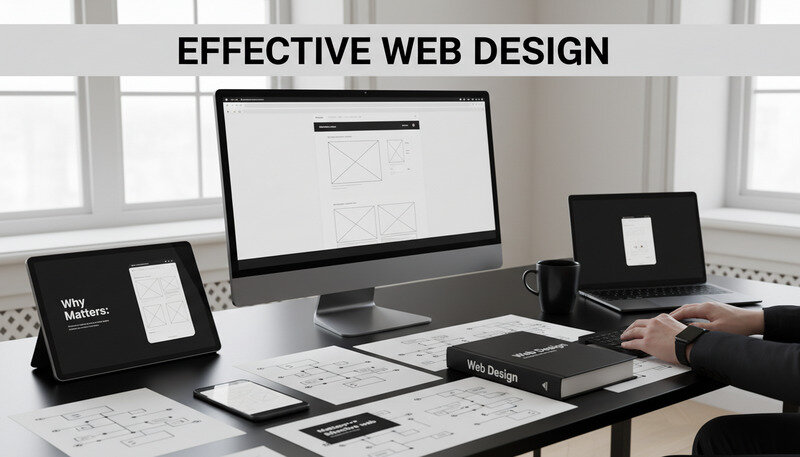
Why It Matters: Effective web design directly impacts your bottom line. Studies show that users form first impressions of websites within 50 milliseconds, and 94% of those impressions relate to design elements.
What Is Web Design?
Web design is the comprehensive process of conceptualizing, planning, and building digital interfaces that deliver specific user experiences across various devices and platforms. Unlike graphic design, which focuses primarily on visual communication, web design must balance aesthetics with functionality, usability, and technical performance.
At its core, web design encompasses three fundamental disciplines that work together to create cohesive digital experiences. Visual design handles the aesthetic elements—typography, color schemes, imagery, and layout composition. User experience (UX) design focuses on how visitors interact with the website, ensuring intuitive navigation and clear user flows. User interface (UI) design bridges the gap between visual and functional elements, creating interactive components that users can easily understand and operate.
The Evolution of Web Design
Web design has transformed dramatically since the early days of static HTML pages. In the 1990s, websites were primarily text-based with basic formatting and minimal graphics. The introduction of CSS in the late 1990s revolutionized how designers approached layout and styling, separating content from presentation for the first time.
The mobile revolution fundamentally changed web design priorities. With mobile traffic surpassing desktop usage in 2016, responsive design became essential rather than optional. Today's web design must accommodate everything from smartwatches to ultra-wide desktop monitors, requiring flexible layouts that adapt seamlessly across devices.
Core Components of Modern Web Design
Modern web design integrates multiple specialized areas that must work in harmony. Information architecture determines how content is organized and structured, creating logical hierarchies that help both users and search engines understand site content. Visual hierarchy uses design principles like contrast, spacing, and typography to guide attention and create clear content priorities.
Interactive design focuses on user engagement elements—buttons, forms, navigation menus, and micro-interactions that provide feedback and guide user actions. Performance optimization ensures fast loading times and smooth functionality across different devices and network conditions. Accessibility design makes websites usable for people with disabilities, following established guidelines and best practices.
Key Insight: Web design is not a one-time activity but an ongoing process of testing, measuring, and optimizing based on user behavior and business goals.
Web Design vs. Web Development
Understanding the distinction between web design and web development helps clarify roles and responsibilities in digital projects. Web design focuses on the planning, visual creation, and user experience aspects—essentially everything users see and interact with. Designers work with tools like Figma, Sketch, or Adobe Creative Suite to create mockups, wireframes, and prototypes.
Web development involves the technical implementation of design concepts using programming languages, frameworks, and content management systems. Frontend developers translate design files into functional code using HTML, CSS, and JavaScript. Backend developers handle server-side functionality, databases, and application logic that powers dynamic website features.
How Web Design Works
The web design process follows a structured methodology that transforms business requirements and user needs into functional digital experiences. This systematic approach ensures projects stay on track, meet objectives, and deliver measurable results for clients and stakeholders.
Discovery and Research Phase
Every successful web design project begins with comprehensive discovery work that establishes the foundation for all subsequent decisions. This phase involves stakeholder interviews to understand business goals, target audience analysis to identify user needs and behaviors, and competitive research to identify market opportunities and design trends.
User research employs various methodologies to gather insights about target audiences. Surveys and interviews reveal user preferences, pain points, and expectations. Analytics data from existing websites provides quantitative insights about user behavior patterns. Persona development creates detailed profiles of ideal users, helping designers make informed decisions throughout the project.
Brand analysis examines existing brand guidelines, messaging, and visual identity elements that must be incorporated into the web design. Technical requirements assessment identifies necessary functionality, integrations, and performance specifications that will influence design decisions.
Planning and Strategy Development
Strategic planning translates research insights into actionable design direction. Site mapping creates visual representations of website structure, showing how pages connect and how users will navigate between sections. Content strategy determines what information needs to be presented, how it should be organized, and what tone and style will best serve user needs.
Wireframing creates low-fidelity blueprints that focus on layout, content hierarchy, and user flow without getting distracted by visual design details. These skeletal frameworks help teams align on functionality and structure before investing time in visual design work.
Technology planning selects appropriate platforms, content management systems, and development frameworks based on project requirements, budget constraints, and long-term maintenance considerations.
Visual Design Creation
Visual design transforms wireframes and strategic plans into compelling visual experiences that reflect brand identity and engage target audiences. This phase begins with mood boards and style tiles that explore color palettes, typography choices, imagery styles, and overall aesthetic direction.
Design systems development creates consistent visual languages that can be applied across all website elements. Typography hierarchies establish clear relationships between headings, body text, and supporting content. Color schemes are selected based on brand guidelines, psychological impact, and accessibility requirements.
Layout design applies grid systems and spacing principles to create balanced, scannable page compositions. Visual hierarchy techniques like contrast, scale, and positioning guide user attention to important content and calls-to-action.
Prototyping and User Testing
Interactive prototypes allow teams and stakeholders to experience website functionality before development begins. These clickable mockups reveal usability issues, navigation problems, and opportunities for improvement that aren't apparent in static designs.
User testing sessions provide direct feedback from target audience members about design effectiveness. Participants complete realistic tasks while designers observe their behavior, noting areas of confusion, frustration, or delight. This feedback drives iterative design improvements that enhance user experience.
A/B testing compares different design approaches to determine which versions perform better for specific metrics like conversion rates, time on page, or task completion rates.
Development and Implementation
The development phase translates approved designs into functional code that browsers can interpret and display. Frontend development creates the user-facing elements using HTML for structure, CSS for styling, and JavaScript for interactive functionality.
Responsive development ensures websites function properly across different screen sizes and devices. This involves creating flexible layouts, optimizing images for various resolutions, and testing functionality on multiple platforms and browsers.
Content management system integration allows non-technical users to update website content without requiring coding knowledge. Popular platforms like WordPress, Drupal, or custom solutions provide user-friendly interfaces for content editing and management.
Pro Tip: Successful web design projects maintain close collaboration between designers and developers throughout the implementation phase to ensure the final product matches the intended design vision.
Key Components of Web Design
Understanding the essential elements that comprise effective web design helps create websites that not only look professional but actually achieve business objectives. These components work together to create cohesive user experiences that guide visitors toward desired actions.
Layout and Grid Systems
Layout design provides the structural foundation that organizes content and creates visual harmony across web pages. Grid systems offer mathematical frameworks for positioning elements consistently, creating balanced compositions that feel organized and professional.
The twelve-column grid system has become the standard for responsive web design, offering flexibility to create various layout combinations while maintaining visual consistency. Content areas, sidebars, and navigation elements align to grid columns, creating implicit relationships between different page sections.
Whitespace, or negative space, plays a crucial role in layout effectiveness. Strategic use of whitespace improves content readability, reduces cognitive load, and draws attention to important elements. Well-designed layouts balance content density with breathing room to create comfortable viewing experiences.
Typography and Readability
Typography choices significantly impact both aesthetic appeal and functional usability. Font selection must consider readability across different devices, loading performance, and brand alignment. Web fonts have expanded design possibilities while maintaining technical reliability.
Typographic hierarchy creates clear content relationships using font size, weight, and spacing variations. Primary headings grab attention and establish page topics. Secondary headings organize content into digestible sections. Body text maintains comfortable reading experiences with appropriate line height and character spacing.
Reading patterns influence how typography is implemented. Western audiences typically scan content in F-patterns, focusing on headings and the beginning of paragraphs before deciding whether to read more thoroughly. Typography design accommodates these patterns by emphasizing key information and creating clear entry points.

Color Theory and Psychology
Color choices evoke emotional responses and communicate brand personality while serving functional purposes like establishing visual hierarchy and improving usability. Color psychology research reveals how different hues influence user perception and behavior.
Brand colors create consistent visual identity across all touchpoints. Primary colors typically reflect core brand values and appear in logos, headers, and key action elements. Secondary colors provide supporting palette options for backgrounds, accents, and content organization.
Accessibility considerations require sufficient contrast ratios between text and background colors to ensure readability for users with visual impairments. WCAG guidelines specify minimum contrast requirements that designers must meet for inclusive web experiences.
Navigation and User Flow
Navigation design creates pathways that help users find information and complete desired actions efficiently. Primary navigation typically appears in website headers, providing access to main content sections. Secondary navigation might include breadcrumbs, sidebar menus, or contextual links that help users explore related content.
User flow mapping visualizes the paths users take to accomplish specific goals, revealing opportunities to streamline processes and remove friction. E-commerce sites focus on flows that lead to purchases. Service businesses optimize flows that generate leads or contact form submissions.
Mobile navigation requires special consideration due to limited screen space. Hamburger menus, bottom navigation bars, and swipe gestures provide space-efficient alternatives to traditional desktop navigation patterns.
Interactive Elements and Micro-interactions
Interactive design elements provide feedback and guide user actions through visual and functional cues. Buttons, forms, and clickable elements must clearly communicate their purpose and provide appropriate feedback when activated.
Micro-interactions are small animations or visual responses that occur when users interact with interface elements. Hover effects on buttons, loading animations, and form validation messages enhance user experience by providing immediate feedback and creating more engaging interactions.
Call-to-action (CTA) design deserves special attention since these elements directly impact conversion rates. Effective CTAs use contrasting colors, clear action-oriented language, and strategic placement to guide users toward desired behaviors.
Benefits and Use Cases of Web Design
Professional web design delivers measurable business value across multiple dimensions, from improved user engagement to increased conversion rates. Understanding these benefits helps justify design investments and guide strategic decisions about website development priorities.
Enhanced User Experience and Engagement
Well-designed websites create positive user experiences that encourage longer visits, deeper engagement, and return visits. Intuitive navigation reduces frustration and helps users find information quickly. Clear visual hierarchy guides attention to important content and calls-to-action.
Loading speed optimization, a crucial aspect of web design, directly impacts user satisfaction and search engine rankings. Users expect websites to load within three seconds, and each additional second of delay can reduce conversions by up to 7%. Optimized images, efficient code, and strategic content delivery improve performance across all devices.
Mobile-responsive design ensures consistent experiences across smartphones, tablets, and desktop computers. With mobile traffic representing over 50% of web usage, responsive design is essential for reaching and engaging modern audiences effectively.
Key Takeaway: Businesses with professionally designed websites see average conversion rate improvements of 200-400% compared to sites with poor design and usability.
Improved Search Engine Visibility
Search engines favor websites that provide excellent user experiences, making good web design essential for SEO success. Page loading speed, mobile responsiveness, and clean code structure all influence search rankings. Google's Core Web Vitals metrics specifically measure user experience factors like loading performance, interactivity, and visual stability.
Content organization and information architecture help search engines understand website structure and content relationships. Proper heading hierarchies, internal linking strategies, and semantic HTML markup improve crawlability and indexing efficiency.
Local businesses particularly benefit from web design that supports local SEO strategies. Contact information, location pages, and schema markup help search engines connect businesses with relevant local search queries.
Brand Credibility and Trust Building
Professional web design establishes credibility and builds trust with potential customers. Studies show that 75% of users judge business credibility based on website design quality. Outdated designs, broken functionality, or poor mobile experiences can damage brand perception and drive away potential customers.
Consistent visual branding across all website elements reinforces brand recognition and professionalism. Color schemes, typography choices, and imagery styles should align with overall brand identity to create cohesive experiences across all customer touchpoints.
Security features and trust signals like SSL certificates, privacy policies, and professional contact information help establish legitimacy and encourage user confidence in sharing personal information or making purchases.
Competitive Advantage and Market Positioning
Superior web design can differentiate businesses from competitors and position brands as industry leaders. Innovative design approaches, cutting-edge functionality, and exceptional user experiences create memorable impressions that influence purchasing decisions.
Industry-specific design considerations help businesses connect with their target audiences more effectively. B2B service providers might emphasize professional credibility and detailed service information. E-commerce retailers focus on product presentation and streamlined checkout processes. Creative agencies showcase their capabilities through innovative design and interactive elements.
Regular design updates and feature enhancements demonstrate business growth and innovation, helping maintain competitive positioning in evolving markets.
Measurable Business Results
Web design improvements deliver quantifiable business benefits that can be measured and optimized over time. Conversion rate optimization focuses on design elements that influence user behavior and drive desired actions. A/B testing different design approaches reveals which versions perform better for specific business metrics.
Lead generation improvements often result from better form design, clearer value propositions, and more compelling calls-to-action. E-commerce businesses see direct revenue impacts from improved product pages, streamlined checkout processes, and enhanced mobile shopping experiences.
Customer acquisition costs typically decrease when websites convert more effectively, providing better returns on marketing investments across all channels.
Common Misconceptions About Web Design
Several persistent myths about web design continue to influence business decisions and project approaches. Understanding and addressing these misconceptions helps set realistic expectations and make informed decisions about website development investments.
"Good Design Is Just About Looking Pretty"
One of the most damaging misconceptions treats web design as purely aesthetic decoration rather than strategic business tool. While visual appeal certainly matters, effective web design prioritizes user experience, functionality, and business goal achievement over superficial attractiveness.
Beautiful websites that fail to convert visitors or provide poor user experiences represent wasted investments. Conversely, websites with modest visual appeal but excellent usability and clear value propositions often outperform more visually striking competitors.
Strategic design decisions consider target audience preferences, industry conventions, and conversion optimization principles. Color choices influence user behavior. Typography affects readability and comprehension. Layout decisions impact how users navigate and consume content.
Expert Tip: The most successful websites balance aesthetic appeal with functional effectiveness, creating designs that both look professional and deliver measurable business results.
"Mobile Design Is Just Shrinking Desktop Versions"
Responsive design requires fundamentally different approaches rather than simply scaling desktop layouts for smaller screens. Mobile users have different goals, attention spans, and interaction patterns that must be accommodated through mobile-specific design decisions.
Touch interface design requires larger clickable areas, simplified navigation patterns, and thumb-friendly button placement. Content prioritization becomes critical on mobile devices where screen real estate is limited and users scan quickly for relevant information.
Mobile-first design approaches start with mobile constraints and progressively enhance experiences for larger screens. This methodology often produces better results than trying to retrofit desktop designs for mobile devices.
"Users Will Figure Out Complex Navigation"
Assuming users will invest time learning complicated navigation systems overestimates user patience and motivation. Most website visitors are task-focused and will abandon sites that don't provide clear, intuitive pathways to desired information or actions.
Navigation design should follow established conventions that users already understand from other websites. Primary navigation belongs in expected locations like website headers. Important actions should be prominently displayed and clearly labeled.
User testing consistently reveals that even minor navigation improvements can significantly impact task completion rates and user satisfaction. Simplifying menu structures, improving label clarity, and reducing the number of clicks required to reach important content all contribute to better user experiences.
"SEO and Design Are Separate Concerns"
Modern search engine optimization is inseparable from good user experience design. Google's algorithm updates increasingly prioritize user experience factors like page loading speed, mobile responsiveness, and content accessibility.
Technical SEO considerations must be integrated into design decisions from project inception. URL structure, heading hierarchies, image optimization, and internal linking strategies all impact both search rankings and user experience.
Content design and SEO content strategy work together to create pages that satisfy both user needs and search engine requirements. Keyword research informs content organization. User intent analysis guides page structure and call-to-action placement.
"Once Launched, Websites Don't Need Updates"
Content Strategy Integration
Content and design must work together to create cohesive user experiences that communicate value propositions clearly and guide users toward desired actions. Content strategy informs design decisions while design enhances content effectiveness.
Scannable content formatting accommodates how users actually read online content. Short paragraphs, bullet points, and clear headings help users quickly identify relevant information. Important points should be emphasized through typography, color, or positioning.
Call-to-action design deserves special attention since these elements directly impact conversion rates. Effective CTAs use action-oriented language, contrasting colors, and strategic placement to guide user behavior. Testing different CTA approaches reveals which versions perform best for specific audiences and contexts.
Testing and Iteration Methodologies
Continuous testing and optimization improve website performance over time while providing insights about user behavior and preferences. A/B testing compares different design approaches to determine which versions achieve better results for specific metrics.
User testing sessions provide qualitative insights about how real users interact with website features. Observing users complete realistic tasks reveals usability issues that aren't apparent through analytics data alone. Regular testing sessions throughout the design process prevent major problems from reaching final implementation.
Analytics monitoring tracks user behavior patterns, conversion rates, and engagement metrics that guide optimization priorities. Heat mapping tools reveal how users interact with specific page elements, highlighting areas of high engagement and potential problems.
Maintenance and Evolution Planning
Successful websites require ongoing attention to remain effective and secure. Content management workflows should be established during initial design phases to ensure regular updates and maintenance tasks are completed efficiently.
Design system documentation creates guidelines for future updates and ensures consistency as websites evolve. Style guides, component libraries, and brand guidelines help maintain design integrity when multiple team members contribute to website development.
Regular design audits assess website performance against current best practices and identify opportunities for improvement. Technology updates, changing user expectations, and business growth all create needs for periodic design enhancements and feature additions.
Common Questions About Web Design
What's the difference between web design and web development?
Web design focuses on the visual and user experience aspects of websites—essentially everything users see and interact with. Designers create layouts, choose colors and typography, design user interfaces, and plan user flows using tools like Figma, Sketch, or Adobe Creative Suite. They work on wireframes, mockups, and prototypes that communicate how websites should look and function.
Web development involves the technical implementation of design concepts using programming languages and frameworks. Frontend developers translate design files into functional code using HTML, CSS, and JavaScript. Backend developers handle server-side functionality, databases, and application logic that powers dynamic website features. While there's some overlap, designers typically focus on user experience while developers focus on technical functionality.
Many professionals work in both areas, especially in smaller teams or freelance contexts. However, larger projects often benefit from specialized expertise in each discipline to achieve optimal results in both design quality and technical implementation.
How long does a typical web design project take?
Web design project timelines vary significantly based on scope, complexity, and team size. Simple brochure websites with basic functionality typically require 4-8 weeks from initial consultation to launch. These projects involve straightforward layouts, minimal custom functionality, and standard content management systems.
Medium-complexity websites with custom features, e-commerce functionality, or extensive content requirements usually take 8-16 weeks to complete. These projects involve more detailed user research, custom design work, and complex development requirements that require additional time for testing and optimization.
Large-scale websites with advanced functionality, custom integrations, or complex user flows can require 16-24 weeks or longer. Enterprise websites, web applications, and sites with extensive custom development needs require more time for planning, development, and testing phases.
Project timelines also depend on client responsiveness, content availability, and feedback cycles. Projects with clear requirements, readily available content, and efficient approval processes typically progress faster than those with evolving requirements or delayed feedback.
How much should I budget for professional web design?
Web design costs vary widely based on project scope, designer experience, and geographic location. Basic template-based websites might cost $500-$3,000 and provide quick solutions for simple needs. These options work well for startups or businesses with limited budgets and straightforward requirements.
Custom web design projects typically range from $3,000-$15,000 for small to medium businesses. These projects include original design work, responsive development, basic SEO optimization, and content management system integration. The investment reflects the time required for research, design, development, and testing phases.
Enterprise-level websites with advanced functionality, custom integrations, and extensive user experience requirements can cost $15,000-$50,000 or more. These projects involve comprehensive user research, complex design systems, advanced development work, and extensive testing and optimization.
Ongoing maintenance and updates typically cost 10-20% of initial development costs annually. This includes security updates, content changes, performance optimization, and periodic design refreshments to maintain effectiveness over time.

What makes a website mobile-friendly?
Mobile-friendly websites adapt seamlessly to different screen sizes and touch interfaces while maintaining full functionality and readability. Responsive design uses flexible layouts that automatically adjust to various device dimensions, ensuring content remains accessible and visually appealing across smartphones, tablets, and desktop computers.
Touch-friendly interface design accommodates finger navigation with appropriately sized buttons, links, and form fields. Clickable elements should be at least 44 pixels in size to ensure easy tapping. Navigation menus must be simplified for mobile use, often using hamburger menus or bottom navigation bars to save space.
Loading speed becomes even more critical on mobile devices where users often have slower internet connections and less patience for delays. Mobile-optimized images, compressed code, and efficient caching strategies ensure fast loading times across various network conditions.
Content prioritization helps mobile users find important information quickly. Mobile layouts should emphasize key content and calls-to-action while de-emphasizing secondary information that might clutter smaller screens. Progressive disclosure techniques reveal additional details only when users request them.
How do I know if my website design is working?
Website effectiveness can be measured through various analytics metrics that reveal user behavior and business impact. Conversion rates track how many visitors complete desired actions like making purchases, filling out contact forms, or subscribing to newsletters. Improving conversion rates indicates that design changes are positively influencing user behavior.
User engagement metrics include time on page, bounce rates, and pages per session. High engagement suggests users find content valuable and navigation intuitive. Low bounce rates indicate visitors explore beyond initial landing pages, suggesting effective design and content strategy.
User feedback provides qualitative insights about design effectiveness. Contact form submissions, customer service inquiries, and direct feedback reveal pain points and areas for improvement. Regular user testing sessions with target audience members provide structured feedback about usability and satisfaction.
Business metrics like lead generation, sales revenue, and customer acquisition costs ultimately determine design success. Effective websites should contribute to business growth by attracting qualified visitors and guiding them toward valuable actions. Regular analysis of these metrics helps identify optimization opportunities and justify design investments.
Should I use a template or invest in custom design?
Template-based solutions work well for businesses with limited budgets, simple requirements, and quick launch timelines. High-quality templates provide professional-looking designs at fraction of custom development costs. Many templates include responsive design, basic SEO optimization, and popular functionality out of the box.
However, templates have limitations that may impact long-term success. Customization options are often restricted, making it difficult to achieve unique branding or specific functionality requirements. Template-based sites may look similar to competitors using the same designs, reducing brand differentiation.
Custom design provides complete control over visual appearance, functionality, and user experience. Custom solutions can be optimized for specific business goals, target audiences, and industry requirements. The investment typically produces better long-term results for businesses with specific needs or competitive markets.
The decision often depends on business goals, budget constraints, and timeline requirements. Startups and small businesses might begin with template solutions and upgrade to custom designs as they grow. Established businesses in competitive markets often benefit from custom design investments that differentiate their brands and optimize for specific business objectives.
Final Thoughts
Web design represents far more than visual decoration—it's a strategic business tool that influences user behavior, builds brand credibility, and drives measurable results. Whether you're planning your first website or optimizing an existing one, understanding these fundamentals helps you make informed decisions that align design investments with business objectives. Get started with Dope Theme to explore professional design solutions that deliver real results. Ready to get started? Visit Dope Theme to learn more.