

Web site design isn't just about making something look pretty on a screen. It's the strategic blend of visual aesthetics, user experience principles, and functional architecture that determines whether visitors stay on your site or click away within seconds. Whether you're a web design agency crafting client solutions, a freelancer building your portfolio, or a digital agency expanding your services, understanding the fundamentals of web site designs can make the difference between projects that convert and ones that fall flat.
Modern web site designs encompass everything from color psychology and typography choices to responsive layouts and interactive elements. You'll discover how successful designs balance form with function, create intuitive navigation paths, and adapt seamlessly across devices. This guide breaks down the essential components, common pitfalls, and proven strategies that separate amateur attempts from professional-grade web site designs.
(https://en.wikipedia.org/wiki/Website) layouts and design elements]
What Is Web Site Design?
Web site design refers to the comprehensive process of planning, conceptualizing, and creating the visual and functional elements of a website. It encompasses both the aesthetic appearance and the underlying user experience structure that guides how visitors interact with digital content.
The Core Elements of Web Site Design
At its foundation, web site design combines several critical disciplines. Visual design focuses on typography, color schemes, imagery, and layout composition. User experience (UX) design addresses how visitors navigate through content and complete desired actions. User interface (UI) design handles the specific interactive elements like buttons, forms, and navigation menus.
Key Insight: Effective web site designs seamlessly blend aesthetics with functionality. A beautiful site that's difficult to navigate will fail just as quickly as an ugly site with perfect usability.
The technical architecture underlying these visual elements includes responsive design principles that ensure sites function across desktop computers, tablets, and smartphones. Modern web site designs must also consider loading speeds, search engine optimization, and accessibility standards that make content available to users with disabilities.
Evolution of Web Design Approaches
Web site designs have transformed dramatically since the early days of the internet. The shift from static HTML pages to dynamic, database-driven sites opened new possibilities for personalized content and interactive features. The mobile revolution forced designers to adopt responsive design techniques that adapt layouts based on screen size.
Today's web site designs leverage advanced CSS frameworks, JavaScript libraries, and content management systems that streamline the development process. Design trends now emphasize minimalism, micro-interactions, and performance optimization as core requirements rather than optional enhancements.
Design vs Development: Understanding the Distinction
Many people confuse web site design with web development, but they serve different purposes in the creation process. Web site designs focus on the visual and experiential aspects—how the site looks, feels, and guides user behavior. Web development handles the technical implementation—coding the HTML, CSS, JavaScript, and backend functionality that brings designs to life.
Professional web site designs typically begin with wireframes and mockups that establish the layout and user flow before any code is written. This design-first approach ensures that aesthetic and usability decisions drive the technical implementation, rather than letting technical constraints limit creative possibilities.
How Web Site Design Works
The web site design process follows a structured methodology that transforms abstract concepts into functional digital experiences. Understanding this workflow helps agencies, freelancers, and digital teams deliver consistent results while managing client expectations effectively.
Discovery and Research Phase
Every successful web site design project begins with comprehensive research into the target audience, business objectives, and competitive landscape. This phase involves stakeholder interviews to understand brand positioning, user persona development to identify key demographics, and competitive analysis to identify opportunities for differentiation.
Pro Tip: Spend at least 20% of your project timeline on discovery. The insights gathered here will inform every subsequent design decision and prevent costly revisions later.
Research extends beyond basic demographics to include user behavior analysis, content audit of existing materials, and technical requirements assessment. Tools like user surveys, analytics review, and stakeholder workshops provide the foundation for informed design decisions.
Information Architecture and Wireframing
Once research is complete, designers create the site's information architecture—the organizational structure that determines how content is categorized, labeled, and connected. This involves creating site maps that outline all pages and their relationships, defining navigation hierarchies, and establishing content priorities.
Wireframing translates the information architecture into visual layouts that show where content, navigation, and interactive elements will be positioned. These low-fidelity sketches focus on functionality and user flow rather than visual aesthetics, allowing teams to iterate quickly on structural decisions.
Visual Design Development
With wireframes approved, designers begin developing the visual identity that will bring the site to life. This phase involves selecting color palettes that align with brand guidelines, choosing typography systems that enhance readability, and creating imagery styles that support the overall aesthetic direction.
The visual design process typically progresses from style tiles or mood boards to high-fidelity mockups of key pages. These detailed designs show exactly how the finished site will appear, including specific fonts, colors, spacing, and interactive states for buttons and other elements.
Prototyping and User Testing
Modern web site designs benefit from interactive prototypes that simulate the user experience before development begins. These clickable mockups allow stakeholders to experience navigation flows, test form interactions, and validate design decisions with real users.
User testing during the design phase identifies usability issues that would be expensive to fix after development. Simple tests with 5-8 users can reveal navigation confusion, content clarity problems, and interaction design flaws that aren't apparent in static mockups.
Why It Matters: Prototyping catches 80% of usability issues before they become expensive development problems. The cost of fixing a navigation issue in design is about 10x less than fixing it after launch.
Design System Creation
Professional web site designs include comprehensive design systems that ensure consistency across all pages and future updates. These systems document typography scales, color palettes, component libraries, and usage guidelines that developers and future designers can follow.
A well-developed design system includes reusable components for common elements like buttons, forms, cards, and navigation menus. This systematic approach accelerates development, maintains visual consistency, and simplifies long-term maintenance.
Key Components of Web Site Designs
Understanding the fundamental building blocks of web site designs helps create cohesive, professional results that serve both user needs and business objectives. Each component plays a specific role in the overall user experience.
Layout and Grid Systems
Professional web site designs rely on underlying grid systems that create visual harmony and improve readability. These invisible structures guide the placement of text, images, and interactive elements to create balanced, scannable layouts.
Common grid approaches include 12-column systems that provide flexibility for different content types, modular grids that create consistent spacing relationships, and baseline grids that align text across columns. The choice of grid system influences how content flows and how users consume information.
Expert Tip: Consistent spacing using an 8-point grid system creates visual rhythm that feels professional and polished. This mathematical approach to spacing eliminates guesswork and creates harmony between elements.
Typography Hierarchy
Typography serves as the primary communication tool in web site designs, guiding users through content with clear visual hierarchies. Effective typography systems establish distinct styles for headlines, subheadings, body text, and supporting elements like captions and labels.
The selection of typefaces impacts both aesthetics and functionality. Web-safe fonts ensure consistent display across different devices and browsers, while custom fonts can reinforce brand identity when implemented properly with appropriate fallbacks.
Color Psychology and Palettes
Color choices in web site designs influence user emotions, reinforce brand identity, and guide attention to important elements. Professional color palettes typically include primary colors for brand elements, secondary colors for accents, and neutral colors for backgrounds and text.
Accessibility considerations require sufficient contrast ratios between text and background colors to ensure readability for users with visual impairments. Modern web site designs often include both light and dark color schemes to accommodate user preferences.
Navigation and User Flow
Navigation design determines how easily users can find information and complete desired actions. Effective navigation systems include clear labeling, logical grouping of related content, and consistent placement of navigation elements across all pages.
User flow mapping shows the paths users take to accomplish goals, revealing opportunities to streamline processes and eliminate unnecessary steps. This analysis informs navigation design and page layout decisions that improve conversion rates.
Interactive Elements and Micro-interactions
Modern web site designs incorporate subtle animations and interactive feedback that enhance the user experience without overwhelming the content. These micro-interactions provide visual confirmation of user actions, guide attention to important elements, and add personality to the interface.
Common interactive elements include hover effects on buttons and links, loading animations that maintain engagement during wait times, and form validation that provides immediate feedback. The key is restraint—interactions should enhance usability rather than distract from core content.
Responsive Design Components
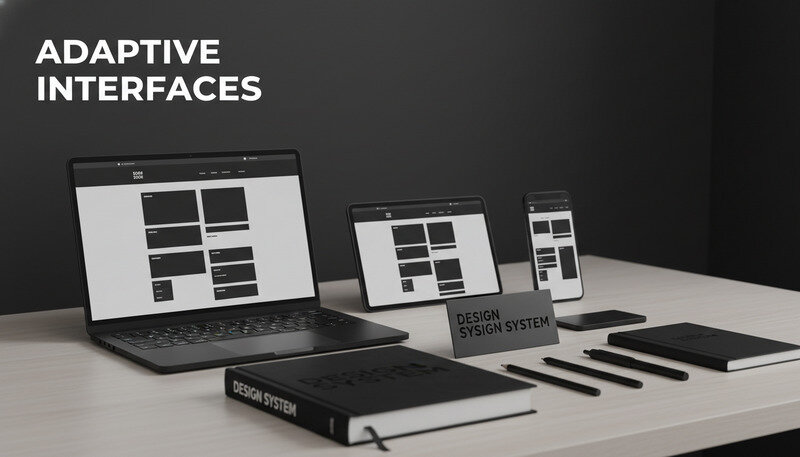
Contemporary web site designs must adapt gracefully across different screen sizes and device types. This requires flexible grid systems, scalable typography, and adaptive navigation patterns that work equally well on desktop computers and smartphones.
Responsive design components include flexible images that scale without losing quality, collapsible navigation menus for mobile devices, and touch-friendly button sizes that accommodate finger navigation. These technical considerations directly impact user experience and search engine rankings.
Benefits and Use Cases of Professional Web Site Designs
Investing in professional web site designs delivers measurable returns across multiple business objectives. Understanding these benefits helps justify design investments and set appropriate expectations for project outcomes.
Enhanced User Experience and Engagement
Well-designed websites keep visitors engaged longer and encourage deeper exploration of content. Professional web site designs reduce bounce rates by creating clear navigation paths, improving page loading speeds, and presenting information in scannable formats.
Studies show that users form opinions about website credibility within 50 milliseconds of viewing a page. Professional design elements like consistent typography, balanced layouts, and high-quality imagery immediately establish trust and encourage continued engagement.
Key Takeaway: Users are 5x more likely to complete a purchase on a professionally designed website compared to amateur designs. The visual credibility translates directly into business results.
Improved Search Engine Performance
Search engines favor websites with professional design elements that indicate quality and user value. Factors like mobile responsiveness, fast loading speeds, and clear content hierarchy directly impact search rankings and organic traffic generation.
Professional web site designs incorporate technical SEO best practices including semantic HTML markup, optimized image compression, and structured data that helps search engines understand content context. These technical foundations support long-term organic growth.
Stronger Brand Recognition and Trust
Consistent design elements across all pages reinforce brand identity and create memorable user experiences. Professional web site designs align visual choices with brand guidelines to create cohesive experiences that strengthen brand recognition and recall.
Trust indicators built into professional designs include security badges, customer testimonials, clear contact information, and professional photography. These elements work together to establish credibility and reduce user anxiety about engaging with the business.
Increased Conversion Rates
Strategic design decisions directly impact user behavior and conversion rates. Professional web site designs optimize call-to-action placement, reduce form friction, and create clear visual hierarchies that guide users toward desired actions.
A/B testing of design elements reveals which visual treatments perform best for specific audiences and objectives. Professional designs incorporate these insights to continuously improve performance and return on investment.
Competitive Advantage
In crowded markets, professional web site designs differentiate businesses from competitors with amateur or outdated websites. Modern design trends, smooth interactions, and mobile optimization signal innovation and attention to quality.
Professional designs also adapt more easily to changing market conditions and user expectations. The underlying systems and components can be updated and expanded without complete redesigns, providing long-term flexibility and cost savings.
Use Cases Across Industries
Different industries benefit from tailored approaches to web site design that address specific user needs and business models. E-commerce sites prioritize product photography, filtering systems, and checkout optimization. Service businesses focus on trust-building elements, clear service descriptions, and lead generation forms.
Professional service firms like law offices and consulting agencies benefit from designs that establish authority through case studies, team profiles, and thought leadership content. Creative agencies showcase their work through portfolio layouts that highlight visual capabilities and creative thinking.
Common Mistakes and Misconceptions in Web Site Designs
Even experienced designers and agencies can fall into predictable traps that undermine project success. Recognizing these common issues helps avoid costly mistakes and delivers better results for clients.
Prioritizing Aesthetics Over Functionality
One of the most frequent mistakes in web site designs involves creating visually stunning layouts that sacrifice usability for artistic expression. While visual appeal matters, designs that confuse users or slow down task completion ultimately fail to serve business objectives.
This mistake often manifests as navigation menus hidden behind obscure icons, text that's difficult to read due to poor contrast, or layouts that look beautiful on desktop but break completely on mobile devices. The solution involves establishing clear functional requirements before exploring visual treatments.
Why It Matters: A website that converts 2% of visitors with average design will outperform a beautiful site that converts 0.5% of visitors. Function must inform form, not the other way around.
Ignoring Mobile-First Design Principles
Many web site designs still begin with desktop layouts and attempt to adapt them for mobile devices as an afterthought. This approach leads to cramped mobile experiences, slow loading times, and frustrated users who abandon the site quickly.
Mobile-first design starts with the constraints of small screens and touch interfaces, then progressively enhances the experience for larger screens. This approach ensures that the core functionality works well for the majority of users who access websites on mobile devices.
Overcomplicating Navigation Systems
Complex navigation systems with multiple levels of dropdown menus might seem comprehensive, but they often overwhelm users and make it difficult to find specific information. Professional web site designs favor simple, clear navigation that gets users to their destination in three clicks or fewer.
The mistake often stems from trying to accommodate every possible user path rather than focusing on the most common user journeys. Effective navigation design requires difficult decisions about what to emphasize and what to de-emphasize in the interface.
Neglecting Loading Speed Optimization
Beautiful web site designs lose their impact when pages take more than three seconds to load. Common speed killers include unoptimized images, excessive JavaScript libraries, and poorly configured hosting environments that don't match site requirements.
Performance optimization should be considered during the design phase, not after development is complete. This includes selecting appropriate image formats, minimizing the number of external resources, and designing layouts that can be implemented efficiently.
Inconsistent Design Systems
Without clear design systems, web site designs often become inconsistent as projects evolve and multiple team members contribute to the work. This inconsistency confuses users and creates additional development work as custom solutions are created for each page.
Professional design systems prevent these issues by establishing reusable components, consistent spacing rules, and clear guidelines for typography and color usage. The upfront investment in systematic thinking pays dividends throughout the project lifecycle.
Assuming User Behavior Without Testing
Designers often make assumptions about how users will interact with their designs without validating these assumptions through user testing. This leads to navigation patterns that seem logical to the design team but confuse actual users.
Regular user testing throughout the design process reveals gaps between designer intent and user reality. Simple tests with a few representative users can identify major usability issues before they become expensive problems to fix.

Best Practices for Effective Web Site Designs
Implementing proven best practices ensures that web site designs meet professional standards and deliver consistent results across different projects and client requirements.
Start with User Research and Clear Objectives
Every successful web site design project begins with thorough understanding of the target audience and specific business goals. This research phase should include user interviews, competitive analysis, and stakeholder workshops that establish clear success metrics.
Document user personas that represent the primary audience segments, including their goals, pain points, and preferred interaction patterns. These personas guide design decisions throughout the project and help resolve conflicts when stakeholders have different opinions about design direction.
Pro Tip: Create user journey maps that show how different personas interact with the site over time. This reveals opportunities to improve the experience at each touchpoint and identifies potential friction points.
Implement Responsive Design from the Start
Modern web site designs must work seamlessly across all device types, from smartphones to large desktop monitors. This requires flexible grid systems, scalable typography, and adaptive images that maintain quality at different sizes.
Test designs on actual devices throughout the development process rather than relying solely on browser developer tools. Real devices reveal touch interaction issues, performance problems, and display quirks that simulators might miss.
Optimize for Performance and Accessibility
Professional web site designs incorporate performance optimization and accessibility considerations from the beginning rather than treating them as afterthoughts. This includes selecting web-optimized image formats, implementing semantic HTML markup, and ensuring sufficient color contrast ratios.
Accessibility features like alt text for images, keyboard navigation support, and screen reader compatibility expand the potential audience while often improving the experience for all users. Many accessibility improvements also benefit search engine optimization efforts.
Create Comprehensive Design Systems
Develop reusable component libraries that ensure consistency across all pages and future updates. These systems should include typography scales, color palettes, button styles, form elements, and layout patterns that can be combined to create any required page type.
Document the design system with clear usage guidelines and code examples that developers can implement consistently. This systematic approach reduces development time and maintains design quality as projects scale.
Test Early and Often
Incorporate user testing throughout the design process rather than waiting until the site is complete. Early testing with wireframes and prototypes identifies major usability issues when they're still easy to fix.
Use a combination of formal usability testing with representative users and informal feedback from team members and stakeholders. Different testing methods reveal different types of issues and provide a more complete picture of the user experience.
Focus on Content Strategy
Great web site designs support and enhance content rather than overwhelming it. Work closely with content creators to understand the types of information that need to be presented and how users typically consume that content.
Design layouts that accommodate different content types, from short marketing messages to long-form articles. Consider how content will be updated over time and ensure that the design system supports these ongoing needs.
Plan for Growth and Changes
Professional web site designs anticipate future needs and changes rather than solving only immediate requirements. This includes designing flexible layouts that can accommodate new content types, planning for additional features, and selecting technologies that support long-term growth.
Build modular systems that allow for easy updates and expansions without requiring complete redesigns. This approach provides better long-term value for clients and reduces the total cost of ownership over time.
Common Questions About Web Site Designs
How long does it take to create professional web site designs?
The timeline for web site designs varies significantly based on project complexity, client requirements, and team size. Simple business websites with 5-10 pages typically require 4-6 weeks for design completion, while complex e-commerce sites or web applications might need 3-6 months of design work.
The process includes discovery and research (1-2 weeks), wireframing and information architecture (1-2 weeks), visual design development (2-4 weeks), and revisions and finalization (1-2 weeks). Projects with extensive custom functionality, multiple stakeholders, or complex content requirements will extend these timelines.
Factors that accelerate the design process include having clear project requirements, responsive client feedback, and well-organized content. Delays commonly occur when clients are slow to provide feedback, requirements change significantly during the project, or multiple stakeholders have conflicting opinions about design direction.
What's the difference between web design and web development?
Web site design focuses on the visual and experiential aspects of a website—how it looks, how users navigate through content, and how the interface guides user behavior. Designers work with tools like Sketch, Figma, or Adobe XD to create mockups and prototypes that show exactly how the finished site will appear and function.
Web development involves the technical implementation that brings designs to life. Developers write HTML, CSS, JavaScript, and backend code that creates the actual functioning website. They handle database integration, content management systems, security implementation, and performance optimization.
The two disciplines collaborate closely throughout the project lifecycle. Designers create the blueprint and user experience, while developers build the technical infrastructure that supports the design vision. Modern projects often involve hybrid professionals who understand both design principles and development capabilities.
Many successful web agencies employ both designers and developers, while some freelancers develop skills in both areas. The key is understanding that design and development serve different purposes and require different skill sets, even when performed by the same person.
How much should professional web site designs cost?
Web site design pricing varies dramatically based on project scope, designer experience, geographic location, and client requirements. Simple business websites might cost $2,000-$10,000 for design work, while complex e-commerce sites or custom web applications can require $25,000-$100,000+ in design investment.
Freelance designers typically charge $50-$150 per hour, while established agencies might charge $100-$300 per hour for senior design talent. Fixed-price projects are common for straightforward websites, while hourly billing works better for complex projects with evolving requirements.
Factors that increase design costs include custom illustration or photography needs, extensive user research and testing, complex interactive features, and tight deadlines that require additional resources. International projects or those requiring specialized industry knowledge also command premium pricing.
The investment in professional design typically pays for itself through improved user engagement, higher conversion rates, and reduced long-term maintenance costs. Cheap design often requires expensive fixes later, making professional design a cost-effective choice for serious businesses.
What tools do professional designers use for web site designs?
Professional web designers rely on specialized software that supports collaborative workflows and produces high-quality deliverables. Figma has become the industry standard for web design due to its collaborative features, component systems, and developer handoff capabilities.
Adobe Creative Suite remains popular, particularly Photoshop for image editing and Illustrator for icon creation. Sketch is widely used on Mac platforms, while newer tools like Adobe XD and InVision Studio offer integrated prototyping capabilities.
Prototyping tools like InVision, Principle, or Framer help designers create interactive demonstrations of user flows and micro-interactions. These tools bridge the gap between static designs and functional websites, allowing stakeholders to experience the design before development begins.
Supporting tools include project management platforms like Asana or Monday, version control systems for design files, and collaboration tools like Slack or Microsoft Teams. Many designers also use analytics tools to understand user behavior and inform design decisions.
How do you measure the success of web site designs?
Successful web site designs are measured against specific business objectives rather than subjective aesthetic preferences. Key performance indicators include conversion rates, user engagement metrics, and task completion rates that directly relate to business goals.
Analytics tools like Google Analytics provide data on bounce rates, time on page, and user flow patterns that reveal how effectively the design guides user behavior. Heat mapping tools like Hotjar or Crazy Egg show where users click and scroll, identifying areas of confusion or interest.
Conversion tracking measures how well the design supports business objectives like lead generation, sales, or content engagement. A/B testing different design elements reveals which treatments perform best for specific audiences and goals.
User feedback through surveys, interviews, or usability testing provides qualitative insights that complement quantitative analytics data. This combination of metrics and feedback creates a complete picture of design effectiveness and identifies opportunities for improvement.
Long-term success metrics include reduced support requests, improved search engine rankings, and increased customer satisfaction scores. Professional web site designs should demonstrate measurable improvements in these areas within 3-6 months of launch.

Key Takeaways
Professional web site designs combine aesthetic appeal with strategic functionality to create digital experiences that serve both user needs and business objectives. The investment in quality design pays dividends through improved user engagement, higher conversion rates, and stronger brand credibility that sets businesses apart from competitors with amateur web presences. Get started with Dope Theme to access professional design resources that streamline your next web project. Ready to get started? Visit Dope Theme to learn more.