

When you visit a website, the first thing you notice isn't the content—it's how everything looks and feels. The colors, fonts, layout, and overall visual presentation create an immediate impression that can make or break a user's experience. That polished, cohesive design you see is the result of something called a theme, and understanding what themes are and how they work is essential for anyone building or managing a website.
A theme is essentially the visual foundation of your website—a pre-designed template that controls how your content appears to visitors. Think of it as the outfit your website wears, determining everything from color schemes and typography to page layouts and interactive elements. Whether you're running a blog, an e-commerce store, or a corporate website, themes provide the structure and styling that transform raw content into an engaging digital experience.

What Is a Theme?
A theme is a collection of files and code that determines the visual appearance and functionality of a website. At its core, a theme acts as a bridge between your content and your visitors, translating text, images, and data into an attractive, user-friendly interface. Unlike custom-coded websites that require extensive programming knowledge, themes provide ready-made solutions that can be installed and customized with minimal technical expertise.
The Technical Foundation
Themes consist primarily of template files written in various programming languages depending on the platform. WordPress themes, for example, use PHP, HTML, CSS, and JavaScript to create dynamic layouts that adapt to different content types. These files work together to define how different elements appear on your site—from the header and navigation menu to the footer and sidebar areas.
The beauty of themes lies in their modularity. Each template file serves a specific purpose: one might control how blog posts display, another manages the homepage layout, and yet another determines the appearance of contact forms. This separation allows developers to create flexible designs that can accommodate various content structures while maintaining visual consistency.
Key Insight: Themes are essentially the visual interpreter for your website's content, transforming data into engaging user experiences without requiring you to write a single line of code.
Platform-Specific Implementations
Different website platforms handle themes in unique ways, though the fundamental concept remains consistent. Content Management Systems (CMS) like WordPress, Drupal, and Joomla each have their own theme architectures and file structures. E-commerce platforms such as Shopify and WooCommerce offer specialized themes designed specifically for online stores, incorporating shopping cart functionality and product display features.
The chrome background and visual elements you see in modern web browsers have influenced how themes are designed, with developers creating responsive layouts that look great across different devices and screen sizes. This evolution has led to themes that automatically adjust their appearance based on whether visitors are using desktop computers, tablets, or smartphones.
Theme vs. Template Distinction
It's important to understand the difference between themes and templates, as these terms are often used interchangeably but have distinct meanings. A theme is the complete package—the entire visual and functional framework for your website. Templates, on the other hand, are individual page layouts within a theme. For instance, a single theme might include templates for the homepage, blog posts, product pages, and contact forms.
This hierarchical structure allows for incredible flexibility in website design. You might use a google slides background approach for your presentation pages while maintaining a completely different layout for your blog section, all within the same theme framework.
How Themes Work
Understanding how themes function behind the scenes helps you make better decisions when selecting and customizing your website's appearance. The process involves several interconnected systems working together to deliver a seamless user experience.
The Rendering Process
When someone visits your website, a complex but lightning-fast process occurs. The web server receives the request and begins assembling the page by combining your content with the theme's template files. The server reads the appropriate template based on what type of page is being requested—whether it's a blog post, product page, or static content page.
During this rendering process, the theme's CSS files determine the visual styling, while JavaScript files add interactive functionality. The HTML structure provides the framework, and PHP or other server-side languages dynamically insert your actual content into the predetermined layout. This entire process typically happens in milliseconds, creating the illusion of instant page loading.
Pro Tip: Modern themes often include caching mechanisms that store pre-rendered versions of your pages, dramatically improving loading speeds and user experience.
Responsive Design Integration
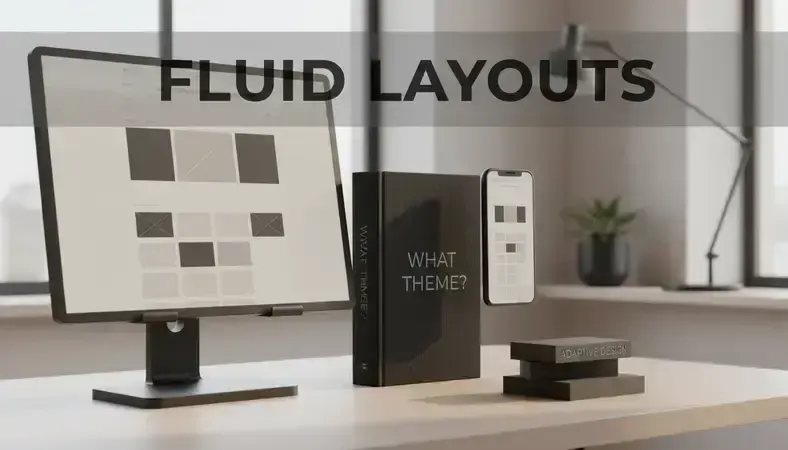
Today's themes incorporate responsive design principles, automatically adjusting layouts based on screen size and device capabilities. This adaptability is achieved through CSS media queries and flexible grid systems that reorganize content elements as needed. A navigation menu that appears horizontally on desktop screens might collapse into a hamburger menu on mobile devices, while sidebar content could move below the main content area.
The chrome wallpaper and visual elements that look perfect on a large monitor need to scale gracefully to smaller screens without losing their impact or functionality. Modern theme frameworks handle these transitions seamlessly, ensuring your website looks professional regardless of how visitors access it.
Customization Layers
Themes operate on multiple customization layers, allowing for varying degrees of personalization without breaking the underlying structure. The base layer consists of the core theme files that define fundamental layouts and functionality. Above this sits a customization layer where you can modify colors, fonts, and basic layout options through user-friendly interfaces.
Advanced users can access a third layer through child themes or custom CSS, making more substantial modifications while preserving the ability to update the main theme. This layered approach protects your customizations when theme developers release updates, ensuring your site maintains its unique appearance while benefiting from security patches and new features.
Database Integration
Themes don't just control appearance—they also determine how content is retrieved from and stored in your website's database. When you publish a blog post or add a product to your online store, the theme's template files define how that information is displayed to visitors. This integration allows for dynamic content management, where you can update your site's information without touching the design code.
The relationship between themes and databases is particularly important for e-commerce sites and content-heavy websites. Product catalogs, blog archives, and user-generated content all rely on themes to present information in organized, visually appealing formats that encourage engagement and conversions.
Key Components of Website Themes
Every theme, regardless of platform or purpose, consists of several essential components that work together to create a cohesive user experience. Understanding these elements helps you evaluate themes more effectively and make informed customization decisions.
Template Files and Structure
The foundation of any theme lies in its template files—the individual code files that control how different types of content appear on your website. These files follow a hierarchical structure, with more specific templates taking precedence over general ones. For example, a theme might have a general blog post template that applies to most articles, but also include a special template for featured posts or specific categories.
Template hierarchy ensures that your website can handle various content types gracefully while maintaining visual consistency. The most common template files include headers, footers, sidebars, homepage layouts, and content-specific templates for posts, pages, and archives. Each file serves a specific purpose and can be customized independently, allowing for granular control over your site's appearance.
Why It Matters: Template files are like the blueprint of your website's rooms—each one defines how a specific area should look and function, but they all work together to create a cohesive experience.
Stylesheets and Visual Design
CSS (Cascading Style Sheets) files form the visual backbone of themes, controlling everything from color schemes and typography to spacing and animations. Modern themes often include multiple stylesheet files organized by function—one might handle the basic layout structure, another manages responsive design rules, and a third controls special effects and animations.
The windows 7 wallpaper aesthetic that many users remember fondly has influenced modern web design, with themes incorporating subtle gradients, shadows, and textures that create depth without overwhelming the content. These visual elements are carefully coded into the theme's stylesheets, ensuring consistent appearance across all pages and devices.
JavaScript Functionality
Interactive features and dynamic behaviors are powered by JavaScript files embedded within themes. These scripts handle everything from dropdown menus and image sliders to form validation and social media integration. Modern themes often include libraries and frameworks that provide pre-built functionality, reducing development time while ensuring cross-browser compatibility.
The complexity of JavaScript implementation varies significantly between themes. Simple blog themes might include basic functionality for mobile menus and image galleries, while e-commerce themes incorporate sophisticated shopping cart behaviors, product filtering systems, and real-time inventory updates.
A well-designed theme not only enhances the aesthetic appeal of a website but also plays a crucial role in effectively communicating the brand's message. For instance, in the context of drug rehab marketing, a cohesive theme can significantly impact how potential clients perceive a treatment facility's professionalism and trustworthiness. To learn more about how to choose the right approach for your needs, check out this guide on best rehab marketing agency.
As the theme of professional services continues to evolve, many individuals are seeking ways to enhance their credibility and expand their reach. One effective approach is to consider joining professional organizations that offer valuable resources and networking opportunities. For example, exploring top online notary services worth trying can provide insights into how you can elevate your notary practice in today's digital landscape.
Asset Management
Themes include various assets such as images, fonts, and icons that contribute to the overall design aesthetic. These resources are typically organized in specific folders within the theme structure, making them easy to locate and modify. Font files might include web-safe alternatives and custom typography options, while image assets could range from background textures to interface elements like buttons and dividers.
Effective asset management ensures fast loading times and consistent visual presentation. Many themes now include optimization features that automatically compress images, minimize CSS and JavaScript files, and implement caching strategies to improve performance.
Comparison of Theme Components
| Component | Function | Customization Level | Impact on Performance |
|---|---|---|---|
| Template Files | Control content layout and structure | High – requires coding knowledge | Medium – affects page generation |
| CSS Stylesheets | Define visual appearance and responsive behavior | Medium – can use custom CSS | Low – cached by browsers |
| JavaScript Files | Add interactivity and dynamic features | High – requires programming skills | High – affects loading and interaction speed |
| Image Assets | Provide visual elements and backgrounds | Low – easily replaced through admin | High – large images slow loading |
| Font Files | Control typography and text appearance | Medium – can add custom fonts | Medium – affects initial page load |
Benefits and Use Cases of Themes
Themes offer numerous advantages that make them the preferred choice for most website creators, from individual bloggers to large corporations. Understanding these benefits helps you appreciate why themes have become the standard approach to web design and when they might be the right choice for your project.
Cost-Effectiveness and Time Savings
The most immediate benefit of using themes is the dramatic reduction in development time and costs. Creating a custom website from scratch can take weeks or months of work by skilled developers, with costs often reaching thousands of dollars. In contrast, premium themes typically cost between $50 and $200, while many high-quality free options are available for budget-conscious users.
This cost advantage extends beyond the initial purchase. Themes come with built-in functionality that would otherwise require custom programming, such as responsive design, SEO optimization, and cross-browser compatibility. The universal studios app development approach of creating once and deploying everywhere has influenced theme development, resulting in solutions that work across multiple devices and platforms without additional investment.
Pro Tip: The time saved by using themes allows you to focus on content creation and business development rather than wrestling with technical implementation details.
Professional Design Without Design Skills
Themes provide access to professional-quality design even if you lack formal design training or artistic skills. Professional designers and developers create themes, incorporating current design trends, user experience best practices, and accessibility standards. This means your website can look as polished and professional as those of much larger organizations with dedicated design teams.
The design quality of modern themes often exceeds what many small businesses could afford through custom development. Theme creators invest significant time in perfecting layouts, color schemes, and user interfaces, then distribute these designs broadly, making high-end design accessible to everyone.
Rapid Deployment and Testing
Themes enable rapid website deployment, allowing you to launch a professional-looking site within hours rather than weeks. This speed advantage is particularly valuable for businesses that need to establish an online presence quickly or test new concepts without significant upfront investment. You can experiment with different designs, layouts, and functionality by switching themes, making it easy to find the perfect fit for your needs.
The ability to preview themes before installation means you can evaluate multiple options without committing to any single approach. Many theme marketplaces offer live demos that show exactly how your content would appear, reducing the guesswork involved in theme selection.
Maintenance and Updates
Theme developers handle ongoing maintenance, security updates, and feature enhancements, reducing the technical burden on website owners. When new web standards emerge or security vulnerabilities are discovered, theme updates address these issues automatically. This ongoing support ensures your website remains secure, functional, and compatible with the latest browser versions without requiring technical intervention on your part.
Regular updates also bring new features and improvements, essentially providing free enhancements to your website over time. These updates might include new layout options, improved performance, or integration with popular plugins and services.
Specific Use Cases and Applications
Different types of websites benefit from themes in unique ways. E-commerce sites leverage themes designed specifically for online retail, with built-in shopping cart functionality, product galleries, and payment integration. These specialized themes understand the unique requirements of online stores, including inventory management, customer accounts, and order processing workflows.
Corporate websites benefit from themes that emphasize professionalism and credibility, often including features like team member profiles, service descriptions, and client testimonials. Portfolio themes cater to creative professionals, offering gallery layouts and project showcases that highlight visual work effectively.
Blogs and content sites use themes optimized for readability and engagement, with features like social sharing buttons, comment systems, and subscription forms. News and magazine themes provide layouts designed for high-volume content publication, including category organization and featured article systems.
Common Misconceptions About Themes
Despite their widespread use, several misconceptions about themes persist, often leading to poor decisions or unrealistic expectations. Addressing these misunderstandings helps you make more informed choices and set appropriate expectations for your website project.
"All Themes Look the Same"
One of the most persistent myths is that using themes results in generic-looking websites that lack uniqueness. This misconception stems from seeing multiple sites using the same popular theme without customization. In reality, themes provide a foundation that can be extensively customized to reflect your brand identity and specific requirements.
Modern themes include comprehensive customization options that allow you to modify colors, fonts, layouts, and functionality without touching code. Advanced users can make even more substantial changes through custom CSS, child themes, or direct template modification. The key is understanding that a theme is a starting point, not a final destination.
Key Takeaway: The difference between a generic-looking themed site and a unique one often comes down to the effort invested in customization and the quality of content rather than the theme itself.
"Free Themes Are Always Inferior"
While premium themes often offer more features and support, many free themes provide excellent quality and functionality. The open-source nature of platforms like WordPress has fostered a community of developers who create high-quality free themes for various purposes. Some free themes even outperform premium alternatives in specific areas like performance or accessibility.
The choice between free and premium themes should be based on your specific needs rather than assumptions about quality. Free themes work well for simple websites with basic requirements, while premium themes typically offer more customization options, dedicated support, and regular updates. Consider factors like ongoing support, update frequency, and feature requirements when making this decision.
"Themes Limit Creativity and Functionality"
Some users believe that themes impose strict limitations on what they can achieve with their websites. While themes do provide structure, this framework actually enables creativity by handling technical complexities and allowing you to focus on content and user experience. Most themes are designed with flexibility in mind, offering multiple layout options and customization possibilities.
Modern theme frameworks provide extensive hooks and filters that allow developers to modify functionality without breaking the core theme structure. This extensibility means that themes can grow with your needs, accommodating new features and requirements as your website evolves.
"Switching Themes Is Always Risky"
While changing themes does require careful planning, it's not as risky as many people believe. The key is understanding what elements might be affected and taking appropriate precautions. Content typically transfers seamlessly between themes, but custom styling, widget configurations, and theme-specific features may need adjustment.
Proper preparation makes theme switching much safer. This includes backing up your website, documenting current customizations, and testing the new theme on a staging site before making it live. Many hosting providers offer staging environments specifically for this purpose, allowing you to experiment with themes without affecting your live website.
"Themes Don't Affect SEO"
Some website owners believe that theme choice has no impact on search engine optimization, but this couldn't be further from the truth. Themes significantly affect SEO through factors like page loading speed, mobile responsiveness, code quality, and structured data implementation. Search engines favor websites that load quickly, display properly on mobile devices, and use clean, semantic HTML markup.
Well-coded themes include SEO best practices built into their structure, such as proper heading hierarchies, optimized image handling, and schema markup for rich snippets. Poor-quality themes might include bloated code, slow-loading elements, or mobile compatibility issues that negatively impact search rankings.

Best Practices for Theme Selection and Use
Choosing and implementing the right theme requires careful consideration of multiple factors beyond visual appeal. Following established best practices ensures you select a theme that not only looks great but also performs well and meets your long-term needs.
Evaluating Theme Quality
Before committing to any theme, conduct a thorough evaluation of its quality and suitability for your project. Start by examining the theme's code quality, which you can assess through browser developer tools or code validation services. Well-coded themes produce clean HTML markup, efficient CSS, and minimal JavaScript errors.
Performance testing is equally important. Use tools like Google PageSpeed Insights or GTmetrix to analyze how quickly the theme loads and identify potential bottlenecks. Themes with optimized code, compressed images, and efficient resource loading will provide better user experiences and search engine rankings.
Check the theme's update history and developer support responsiveness. Active development indicates ongoing maintenance and security updates, while responsive support suggests you'll receive help when issues arise. Look for themes with regular updates, comprehensive documentation, and active user communities.
Mobile Responsiveness and Accessibility
Modern websites must function flawlessly across all devices and be accessible to users with disabilities. Verify that potential themes include responsive design that adapts gracefully to different screen sizes. Test the theme on various devices or use browser developer tools to simulate mobile and tablet viewing.
Accessibility compliance is increasingly important, both for legal reasons and user experience. Look for themes that follow Web Content Accessibility Guidelines (WCAG), including proper color contrast, keyboard navigation support, and screen reader compatibility. These features benefit all users while ensuring your website complies with accessibility regulations.
Expert Tip: A truly responsive theme doesn't just resize content—it reorganizes and optimizes the user experience for each device type, potentially showing different navigation styles or content priorities on mobile versus desktop.
Customization Strategy
Develop a clear customization strategy before making extensive modifications to your chosen theme. Start with the theme's built-in customization options, which typically include color schemes, font selections, and layout variations. These modifications are usually update-safe, meaning they'll persist when the theme receives updates.
For more substantial changes, consider using a child theme, which allows you to modify template files and add custom CSS without affecting the parent theme. This approach protects your customizations during theme updates while providing the flexibility to make significant design changes.
Document all customizations you make, including custom CSS code, plugin integrations, and template modifications. This documentation proves invaluable when troubleshooting issues, updating the theme, or migrating to a new design in the future.
Performance Optimization
Even the best themes can benefit from performance optimization. Implement caching solutions appropriate for your hosting environment, which can dramatically improve loading times for returning visitors. Many hosting providers offer built-in caching, while plugins provide additional optimization options.
Optimize images before uploading them to your website, ensuring they're appropriately sized and compressed for web use. Consider implementing lazy loading for images below the fold, which improves initial page loading times by deferring image loading until users scroll to them.
Minimize the use of plugins and third-party integrations that might conflict with your theme or slow down your website. Each additional plugin adds code and potential failure points, so carefully evaluate whether each addition provides sufficient value to justify its inclusion.
Key Theme Selection Criteria
| Criteria | What to Look For | Red Flags | Testing Method |
|---|---|---|---|
| Code Quality | Clean HTML, efficient CSS, minimal JavaScript errors | Validation errors, bloated code, deprecated functions | Browser developer tools, W3C validators |
| Performance | Fast loading times, optimized assets, minimal HTTP requests | Slow loading, large file sizes, excessive plugins | PageSpeed Insights, GTmetrix |
| Support | Active developer, regular updates, comprehensive documentation | Outdated code, no recent updates, poor documentation | Theme support forums, update history |
| Compatibility | Works with latest platform version, popular plugins | Conflicts with essential plugins, outdated platform requirements | Test installation, plugin compatibility checks |
| Responsiveness | Adapts to all screen sizes, touch-friendly navigation | Fixed layouts, broken mobile display | Device testing, browser responsive mode |
Common Questions About Themes
What's the Difference Between Free and Premium Themes?
Free themes provide basic functionality and design options without cost, making them ideal for simple websites, personal blogs, or projects with limited budgets. They typically include essential features like responsive design and basic customization options, but may have limited support and fewer advanced features.
Premium themes offer more comprehensive functionality, including advanced customization options, premium plugins, dedicated customer support, and regular updates. They often include features like drag-and-drop page builders, multiple demo layouts, and specialized functionality for specific industries. The investment in a premium theme is usually justified for business websites or projects requiring advanced features.
The choice between free and premium depends on your specific needs, technical expertise, and budget. Free themes work well for straightforward websites, while premium themes provide more flexibility and support for complex requirements.
Can I Switch Themes After My Website Is Live?
Yes, you can change themes after launching your website, but the process requires careful planning to avoid disrupting your site's functionality or losing customizations. Content typically transfers between themes without issues, but theme-specific features, custom styling, and widget configurations may need to be reconfigured.
Before switching themes, create a complete backup of your website and test the new theme on a staging site. This allows you to identify and address any compatibility issues before affecting your live website. Document any customizations you've made to your current theme so you can recreate them in the new design.
Plan for some downtime during the transition, and inform your visitors if significant changes will be visible. Consider the timing of theme changes to minimize impact on your audience and business operations.
How Often Should I Update My Theme?
Theme updates should be installed promptly when they become available, as they often include security patches, bug fixes, and compatibility improvements. Most quality themes receive updates every few months, though the frequency varies based on the developer and current web standards.
Before updating, always backup your website and test the update on a staging site if possible. Some updates might introduce changes that affect your customizations or require adjustments to your configuration. Review the update notes to understand what changes are included and whether they might impact your specific setup.
Automatic updates can be convenient but should be used cautiously, especially for websites with extensive customizations. Manual updates give you more control over the timing and allow you to prepare for any necessary adjustments.
Will My Theme Affect My Website's SEO?
Absolutely. Theme choice significantly impacts SEO through factors like page loading speed, mobile responsiveness, code structure, and markup quality. Search engines favor websites that load quickly, display properly on all devices, and use clean, semantic HTML code.
Well-optimized themes include SEO best practices like proper heading hierarchies, optimized image handling, structured data markup, and fast loading times. Poor-quality themes might include bloated code, slow-loading elements, or mobile compatibility issues that hurt search rankings.
Choose themes from reputable developers who prioritize SEO optimization, and test the theme's performance using tools like Google PageSpeed Insights. Remember that while theme choice is important for SEO, content quality and relevance remain the most critical ranking factors.
Can I Customize a Theme Without Coding Knowledge?
Most modern themes include user-friendly customization options that don't require coding skills. These typically include color scheme selectors, font options, layout variations, and widget areas that can be modified through your website's admin interface. Many themes also include drag-and-drop page builders that allow for extensive layout customization.
For more advanced customizations, you might need basic CSS knowledge or help from a developer. However, many customization needs can be addressed through the theme's built-in options or by using plugins that extend the theme's functionality.
If you're planning extensive customizations, consider your technical skills and available resources when selecting a theme. Some themes are designed for easy customization by non-technical users, while others assume more advanced knowledge.

Conclusion
Themes represent the perfect balance between professional design and practical accessibility, transforming complex web development into an approachable process that anyone can master. They provide the visual foundation that turns your content into engaging user experiences while handling the technical complexities that would otherwise require extensive programming knowledge.
Ready to transform your website with the perfect theme? Explore our collection at Dope Theme and discover designs that bring your vision to life.